Customers book themselves. No phone tag.

One calendar that takes bookings from your website, checks every time against your staff and resources, and reminds everyone before it starts.

Calendar · Week 47Fjordby Kursuscenter
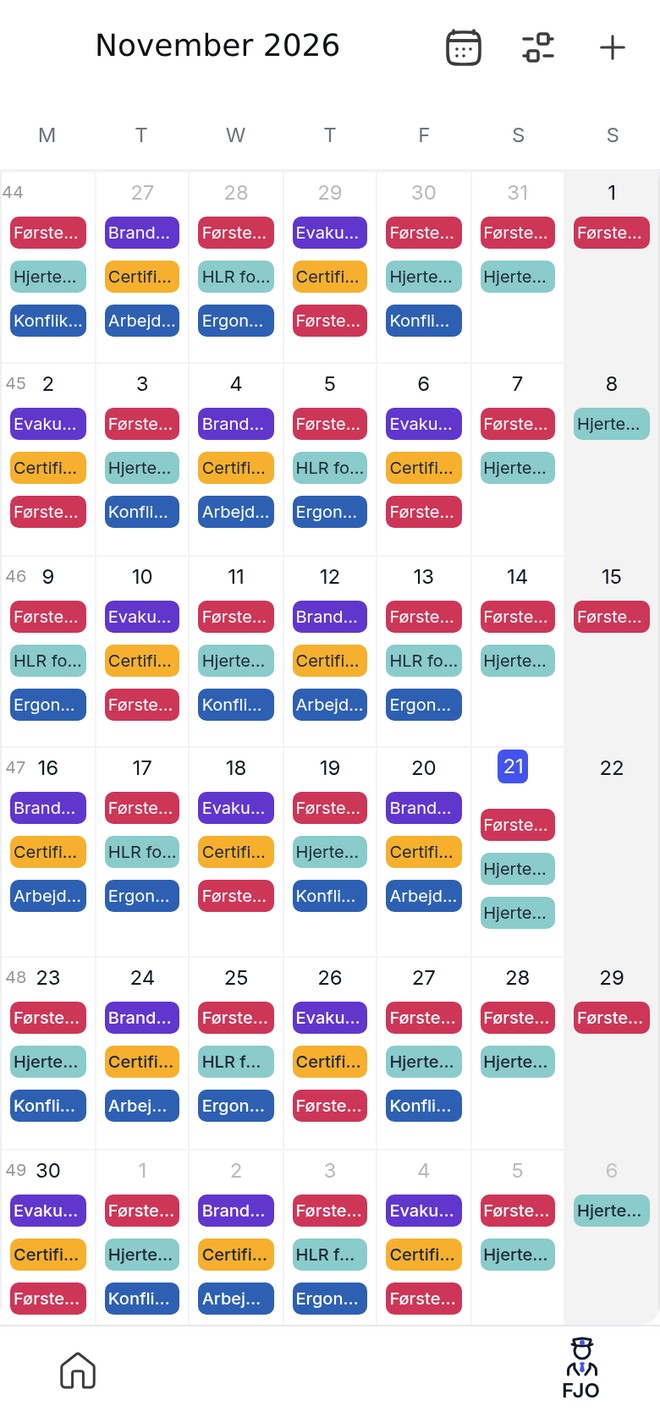
Week calendar with courses in five colours and grey hours outside opening time
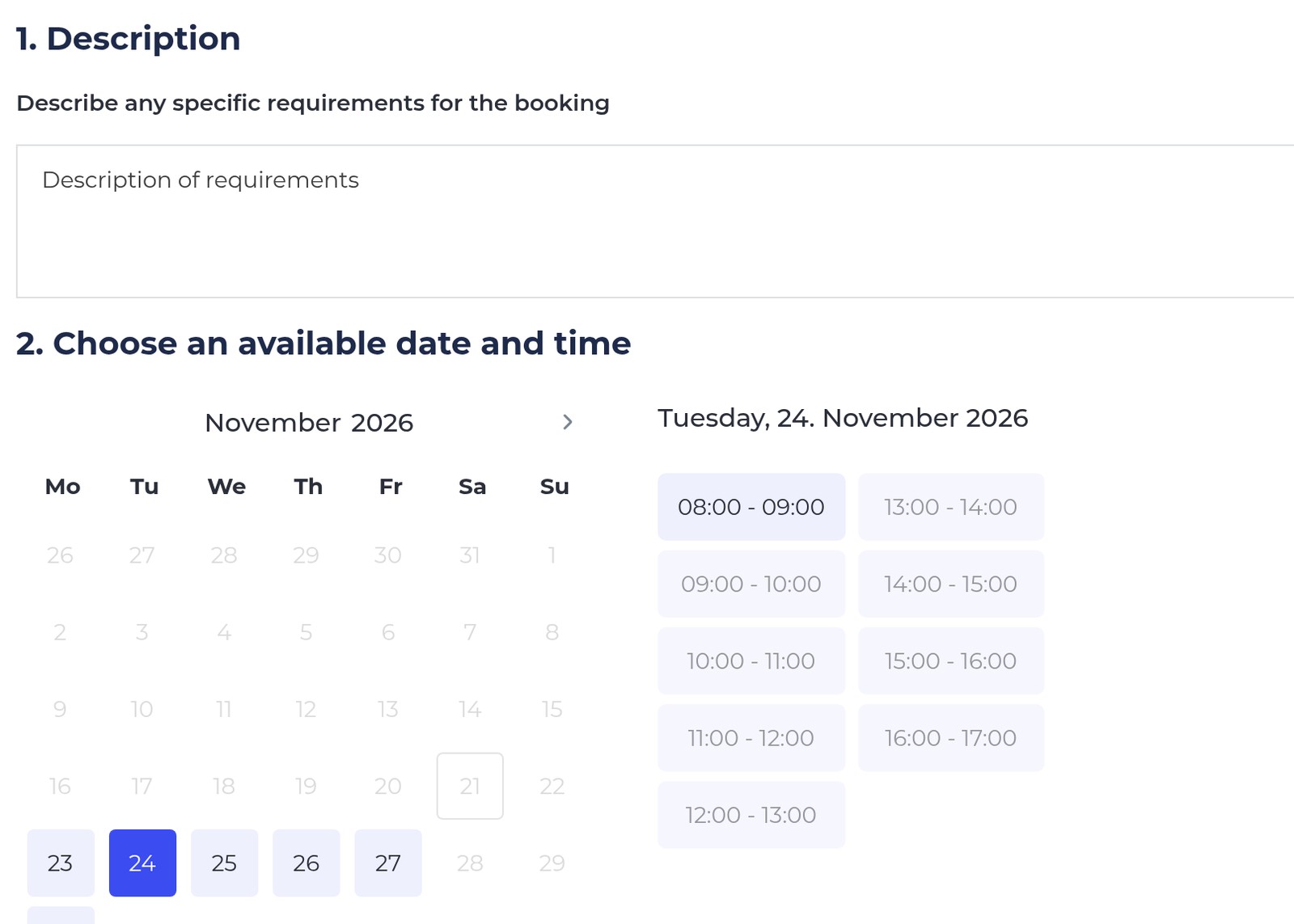
Booking formOn your website
Public booking form with the free days and time slots for one day
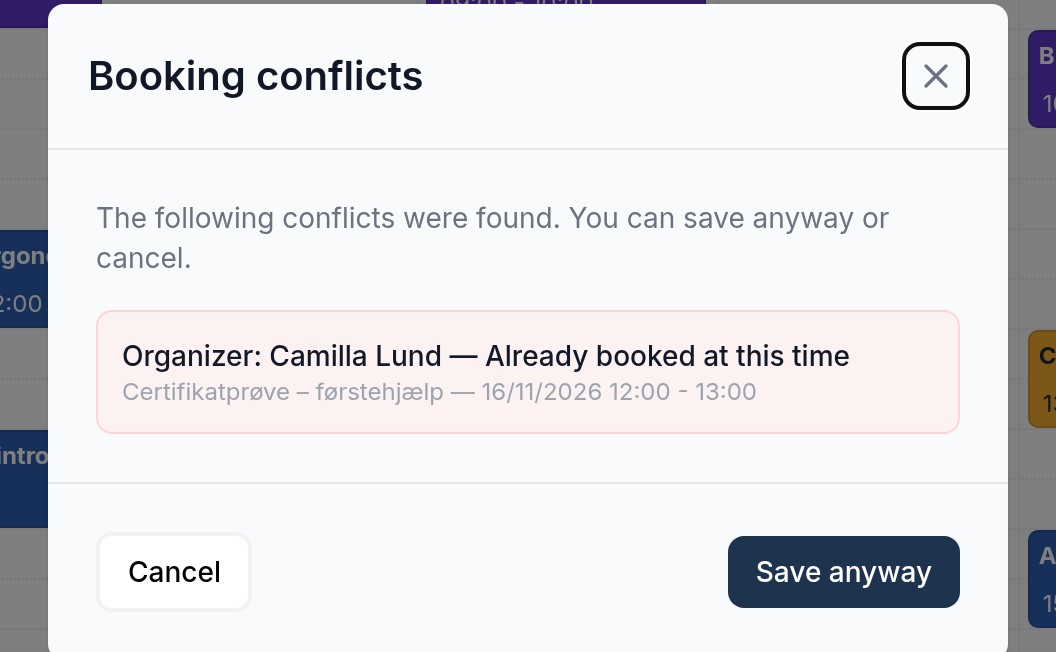
Booking conflictsCaught on save
Warning that the organizer is already booked at this time
Online booking

Let customers book. The calendar takes care of the rest.

Put the booking form on your website or send it as a link. Customers pick from times that are really open, and the booking lands straight in the team's calendar. No phone calls, no double bookings, and reminders go out by themselves.

  • Only free times can be picked
  • Works on your website or as a link
  • Confirmation and reminder go out by themselves
Booking formFjordby Kursuscenter
Public booking form with the free days and the time slots for Tuesday 24 November
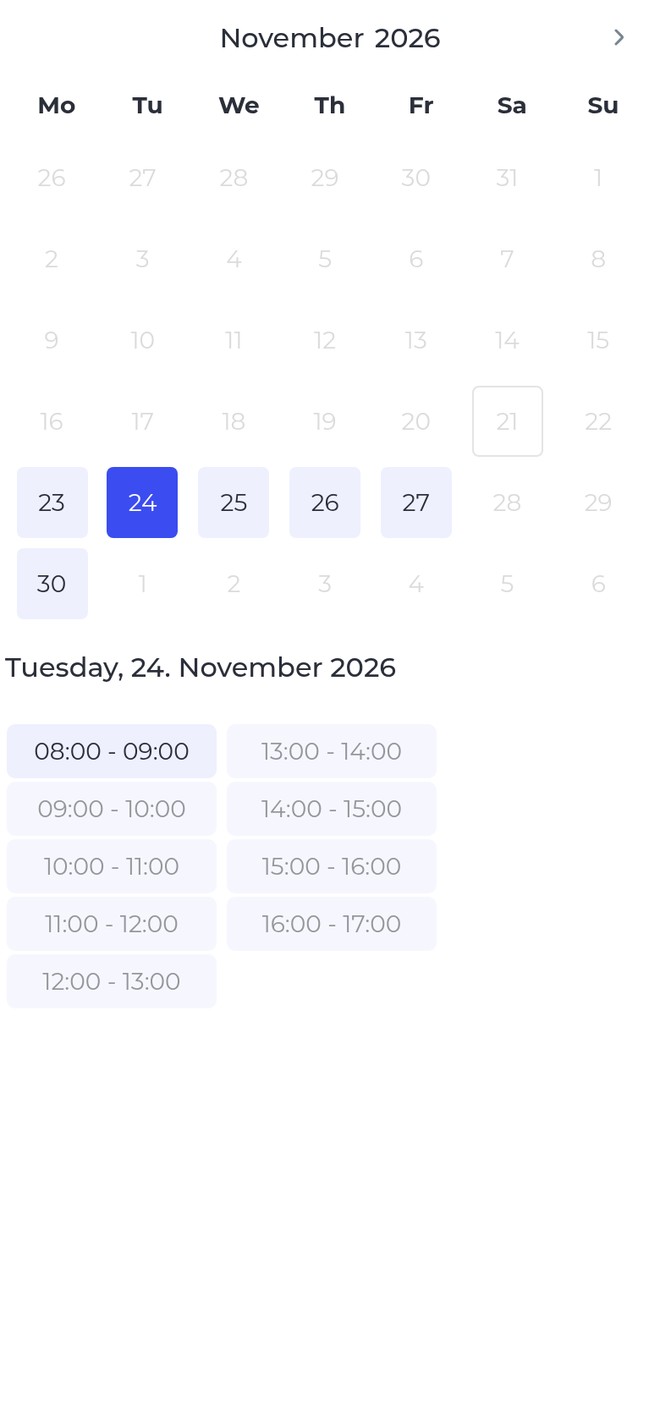
The booking form on a phone
Real free timesSlots follow your opening hours, booking length and break between bookings. Closed and fully booked days are greyed out, and a taken time is never offered.
On your site in minutesCopy the embed code into your website, or send the link by e-mail or SMS.
Ask what you needChoose which fields the form asks for, and let customers pick a location.
Checked twiceThe time is checked again when the customer sends the form, so two people never get the same slot.
Calendar

Every booking, every person, one calendar.

See the whole team's week on one screen. Create a booking by dragging across the calendar, and move it by dragging again.

Calendar · Week 47Fjordby Kursuscenter
Week calendar of a course centre, coloured by booking type, with grey hours outside opening time and Sunday closed
One view for everyoneShow or hide people, locations, rooms and booking types. Each type has its own colour.
Open hours you can seeWorking hours are white and the rest is grey. Holidays and closed days are greyed out, so nobody books you when you are closed.
Keep your own calendarBookings show up in the calendar your team already uses, and changes made there come back. Outlook, Microsoft 365 and Exchange work today, and more are on the way.
Set it onceWeekly appointments, classes and shifts repeat by themselves. Change one, the rest, or all.
No double bookings

Clashes are caught before anyone is booked twice.

Every save checks your staff and resources. If someone is already booked, Tailsky says who and when, and the booking waits until someone with rights decides.

  • Staff and resources checked on every save
  • The clashing booking named in the warning
  • Free-time entries never count as a clash
Booking conflictsFjordby Kursuscenter
Warning that the organizer is already booked at this time, with Save anyway and Cancel
Open slotsPublish a slot with a number of places. Invited people accept it themselves, and it closes when it is full.
Shift swapsA staff member asks to be taken off, a colleague takes the shift, and a manager approves.
Nothing gets lostDeleted bookings can be restored, and every change is logged.
ExportTake your bookings out as CSV or PDF, filtered by date, type and status.
Notifications and reminders

Fewer no-shows, and nobody misses a change.

Customers and staff hear about every new, changed or cancelled booking by e-mail, SMS or in the app. Reminders go out when you choose, as many as you like.

  • Minutes, hours or days before or after
  • A set time on the day or the day before
  • Repeat until the booking starts
Reminder scheduleFjordby Kursuscenter
A reminder rule: before the booking starts, 24 hours
Every changeConfirmation on booking, a message on every change and on cancel.
E-mail, SMS or appPick the channel per event and per kind of person.
In your own wordsEdit the messages per location, with the customer's name, the date and the time filled in.
Everyone their waySet it for the company, per location and per person, down to each booking type.
Mobile

The whole calendar in your pocket.

Swipe through the week, open a booking and join the meeting with one tap. Staff can also see their bookings in the calendar app they already use.

  • Swipe between days and weeks
  • Join online meetings from the booking
  • Works with Google, Apple and Outlook calendar
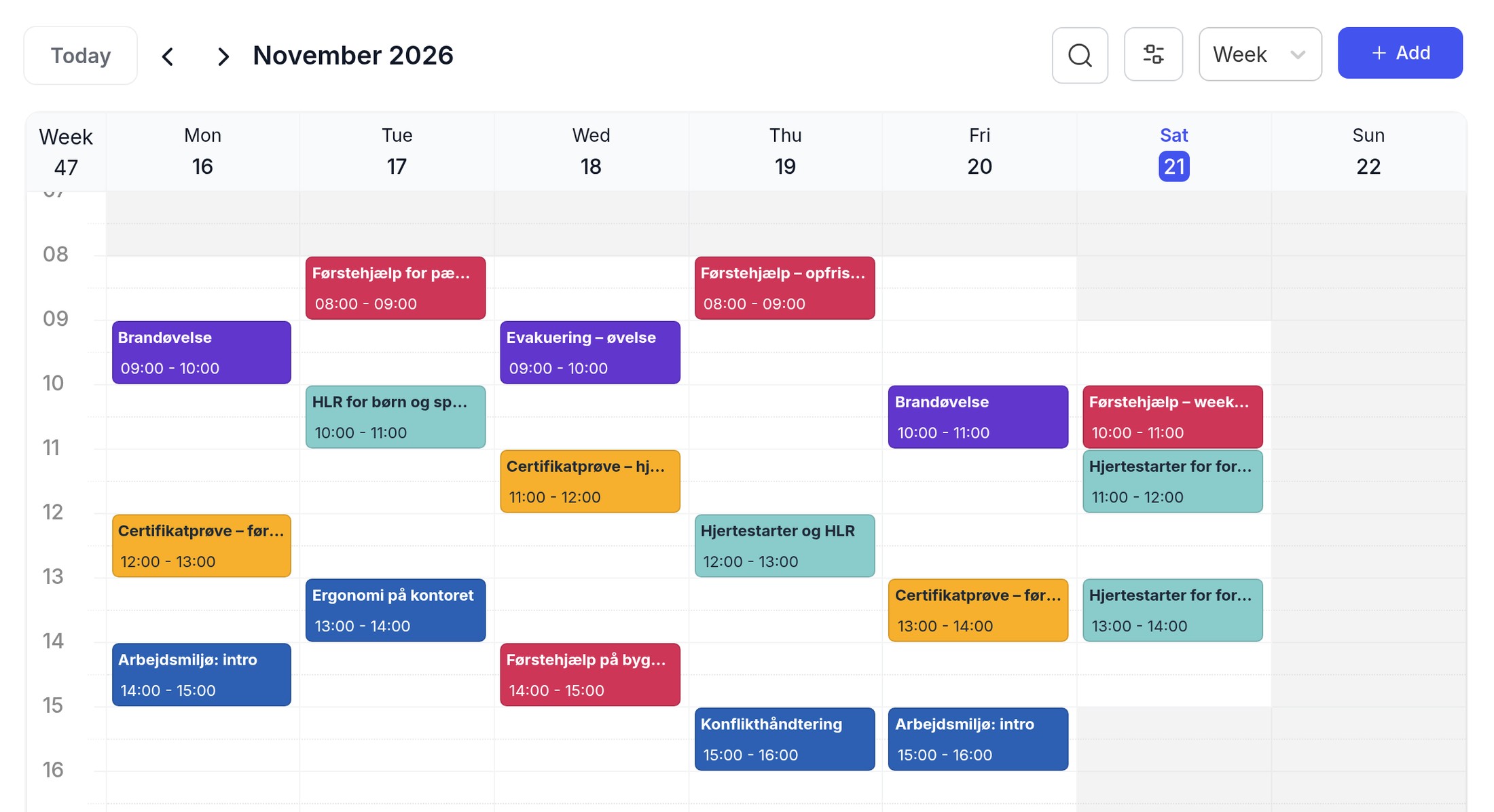
Calendar · Week 47Fjordby Kursuscenter
Week calendar of a course centre
The month calendar on a phone
Made for the thumbSwipe left or right to change day, week or month. One tap switches the view.
Join with one tapPut a Teams, Zoom or Meet link on the booking. The booking shows a join button, so nobody hunts for the link.
In the calendar you already useEach staff member gets a personal link that shows their bookings in Google, Apple or Outlook calendar.
Told in the appNew, changed and cancelled bookings show up as notifications on the phone.
Questions

What people ask about bookings.

Can customers book from my website?

Yes. Add the booking form to your site with an embed code, or share it as a link.

What if two people book the same time?

They can't. Only free times are shown, and every save checks for clashes.

Which calendars can we connect?

Outlook, Microsoft 365 and Exchange sync both ways today, and more calendar types are being added. Ask us about yours.

Can we choose when reminders go out?

Yes. Set as many reminders as you like: minutes, hours or days before or after, or at a set time on the day or the day before.

Can staff see their bookings on their phone?

Yes, in the Tailsky app, or by adding their personal calendar link to Google, Apple or Outlook calendar.

See your own week in Tailsky.

Tell us how you book today. We set up a demo with your services and opening hours and walk you through it.