Speak every customer's language. No developer.

Every text your customers see, in every language you serve, in one place. AI fills the gaps and you have the last word.

TranslationsBooking site
The translations table with Danish, English, German and Swedish side by side
ArticleFjordby Kursuscenter
An article with its Danish, English and German versions and a missing Swedish one
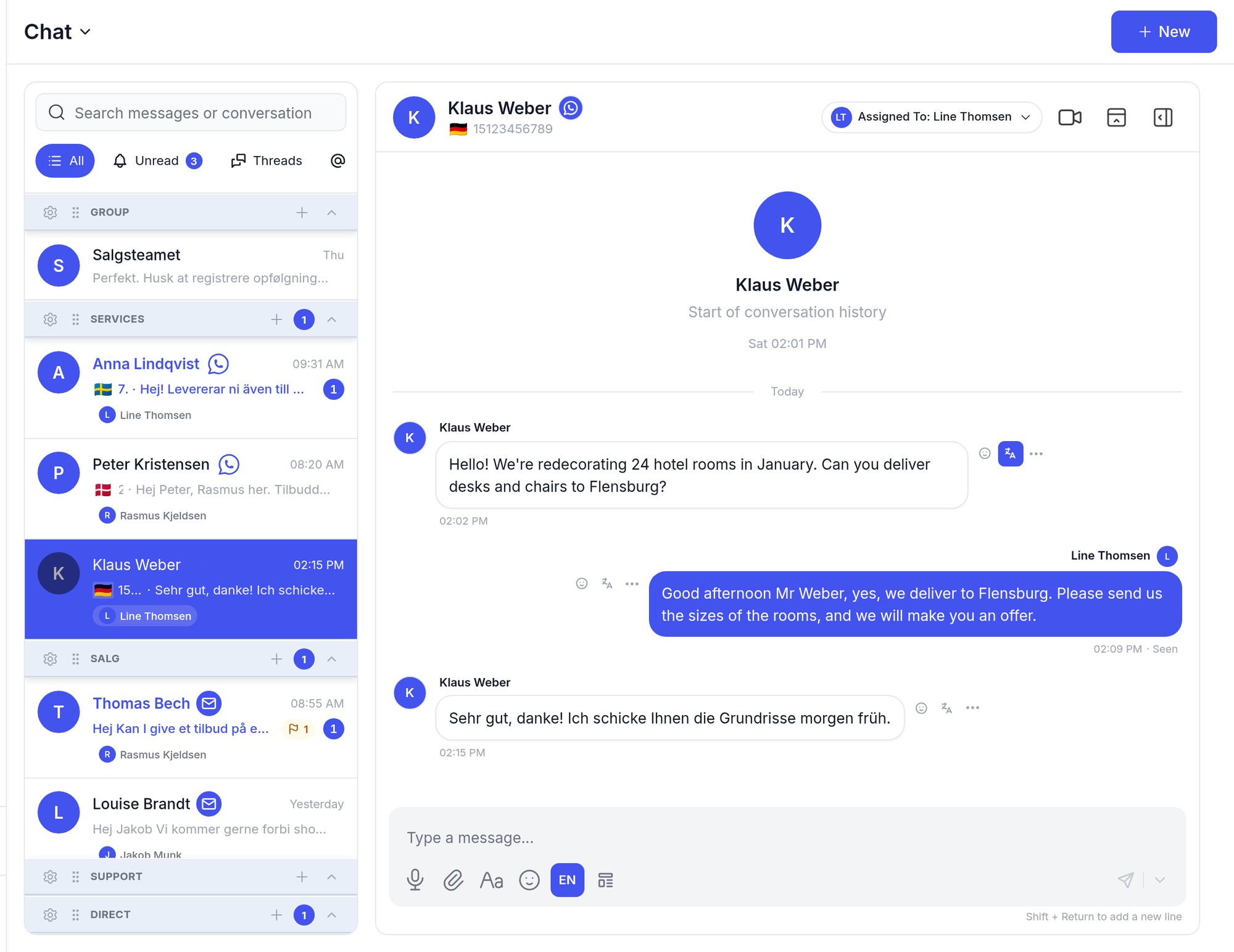
WhatsAppKlaus Weber
A German customer message translated in the chat
One place for every text

Every word your customers read, side by side.

Buttons, messages, mails and help texts sit in one table, with a column per language, so a gap is easy to spot.

  • A column per language, next to each other
  • Search and filter by category
  • Import and export as a spreadsheet file
TranslationsBooking site
Texts of a booking site in Danish, English, German and Swedish, two Swedish texts still empty
Side by sideChoose which languages show as columns in the table.
Sorted your wayGroup texts in categories, like Booking site or App.
Spreadsheet in, spreadsheet outExport one language or all, import a CSV or JSON file back.
Edit it where you see itTurn on Show translation keys and edit a text from the screen it is on.
AI fills the gaps

A new language in minutes, not months.

Pick a language and let AI translate every text that is still missing, while you keep working.

  • Only the missing texts, or all of them
  • Choose the language it translates from
  • Follow the progress while you work
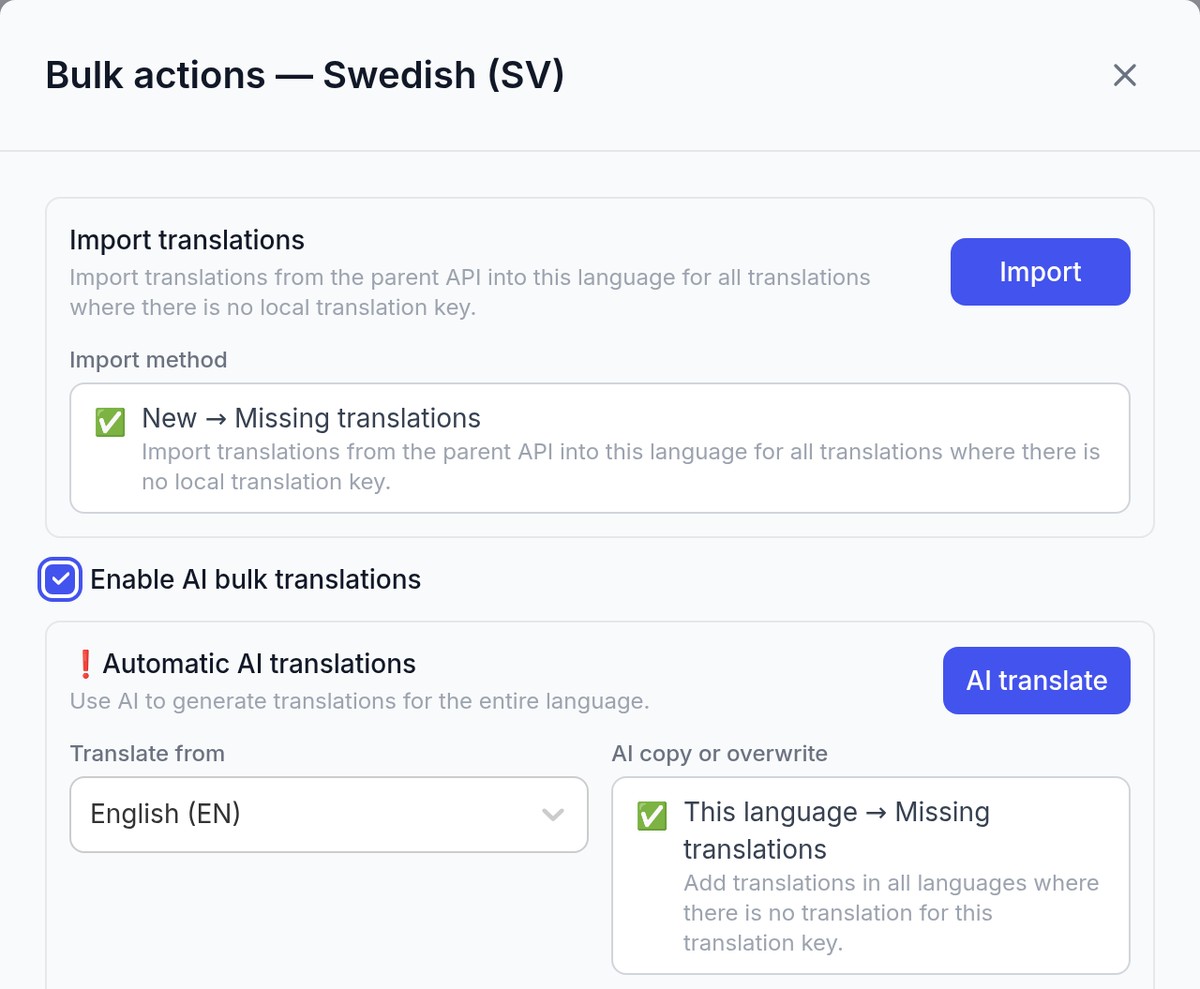
Bulk actionsSwedish
Bulk actions for Swedish: translate the missing texts with AI from English
Fill the gapsAI translates only the texts that have no translation yet.
From your best languageTranslate from English, Danish or whichever text you trust most.
Runs in the backgroundFollow the progress and stop it at any time.
Nothing overwritten by accidentReplacing existing texts asks you to confirm first.
You have the last word

See what AI wrote and what a person checked.

Every translation shows whether it was written by hand, by AI or approved, and who changed it when.

  • Manual, AI or approved on every language
  • The full history of each text
  • One click translates a single field
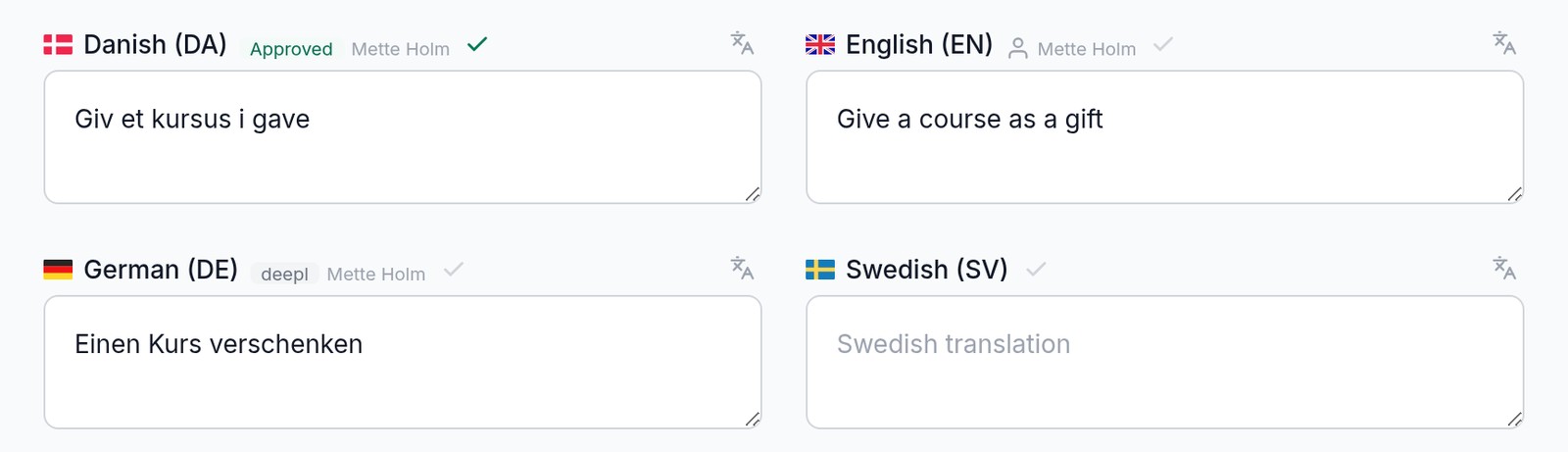
Edit translationBooking site
One text in four languages: Danish approved, German translated by DeepL, Swedish still empty with a translate button
Approve itMark a translation as approved when a person has read it.
Who and whenEach change shows the author, the time and how often it changed.
One field at a timeTranslate one text with DeepL or GPT straight from the form.
Many at onceBulk edit changes many texts in one go.
Your languages

Add a language the day you need it.

Add a language yourself and decide where it shows: in your admin, in the app or on your website.

  • Name, code and flag in one form
  • On for the admin, the app, the website or all three
  • A default language for everyone else
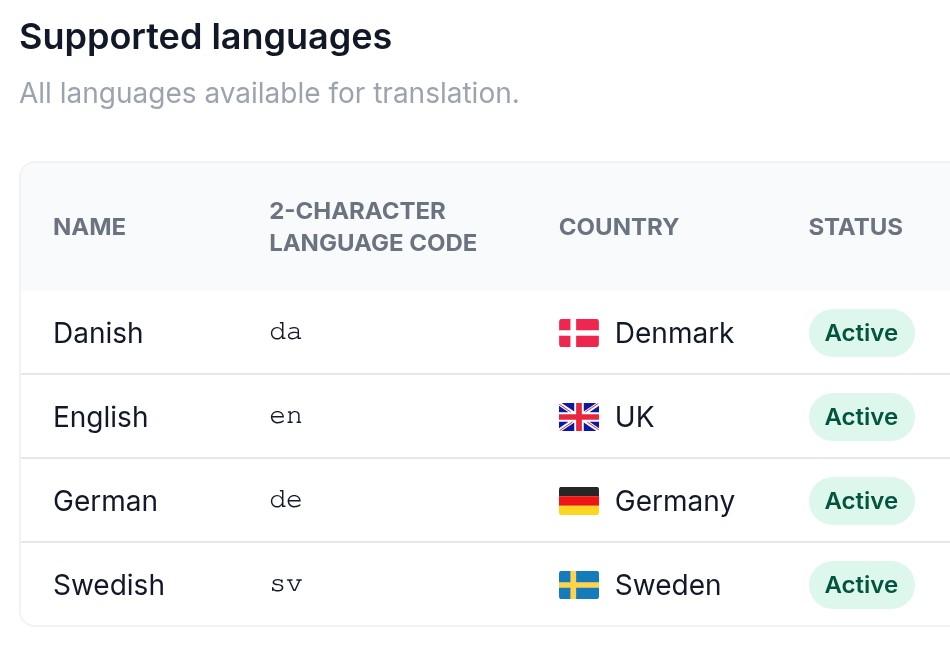
LanguagesFjordby Kursuscenter
Supported languages: Danish, English, German and Swedish, each with where it is available
Any languageAdd German, Swedish, Polish or any other language yourself.
Where it showsStaff can work in Danish while customers get German.
Each person picksEvery user chooses their own language in the profile menu.
Updates includedNew texts come from your parent setup and only fill what is empty.
Articles and help centre

One article, every language, always in step.

Each article keeps its language versions together, so you see at once which ones are published and which are missing.

  • A version per language, with its own status
  • Start a missing language with AI or as a copy
  • Edit two languages side by side
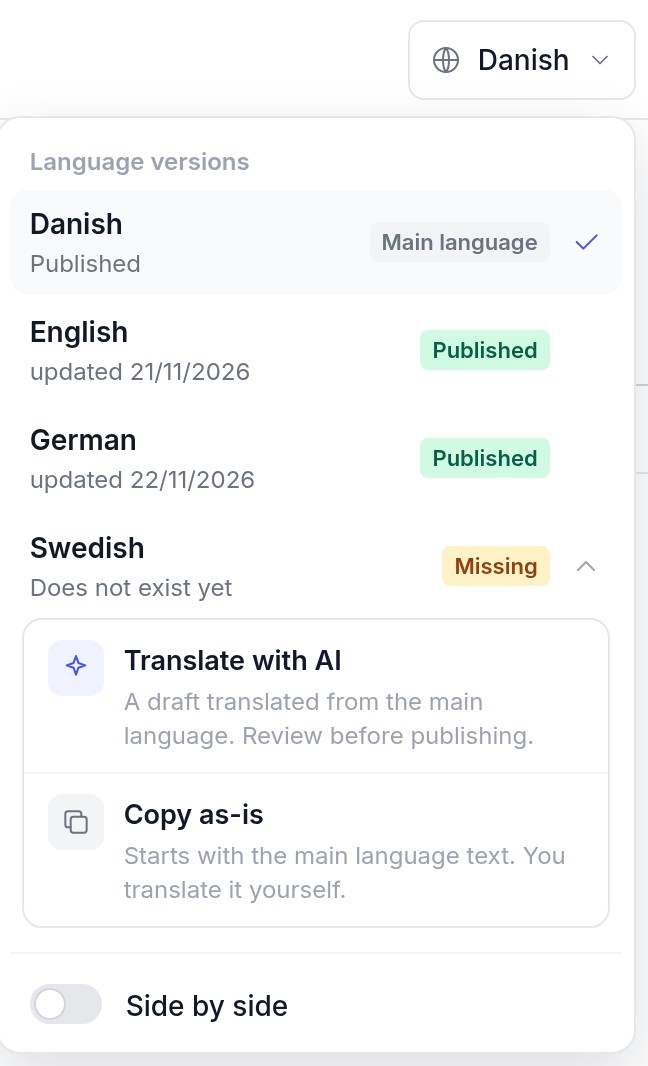
ArticleFjordby Kursuscenter
Language versions of an article: Danish main language, English and German published, Swedish missing
Translate with AITitle, text, summary and SEO fields, with images and links kept.
See what is missingA missing language is marked, so nothing is forgotten.
Side by sideWrite the new version with the original next to it.
Pages tooWebsite pages get a version per language and a language picker.
Chat in their language

Read theirs, write yours.

A message in German or Swedish reads in your language with one click, and your reply goes out in theirs.

  • One click translates a message
  • Set the chat's language once, every reply is translated
  • Your own language shows translations by itself
WhatsAppKlaus Weber
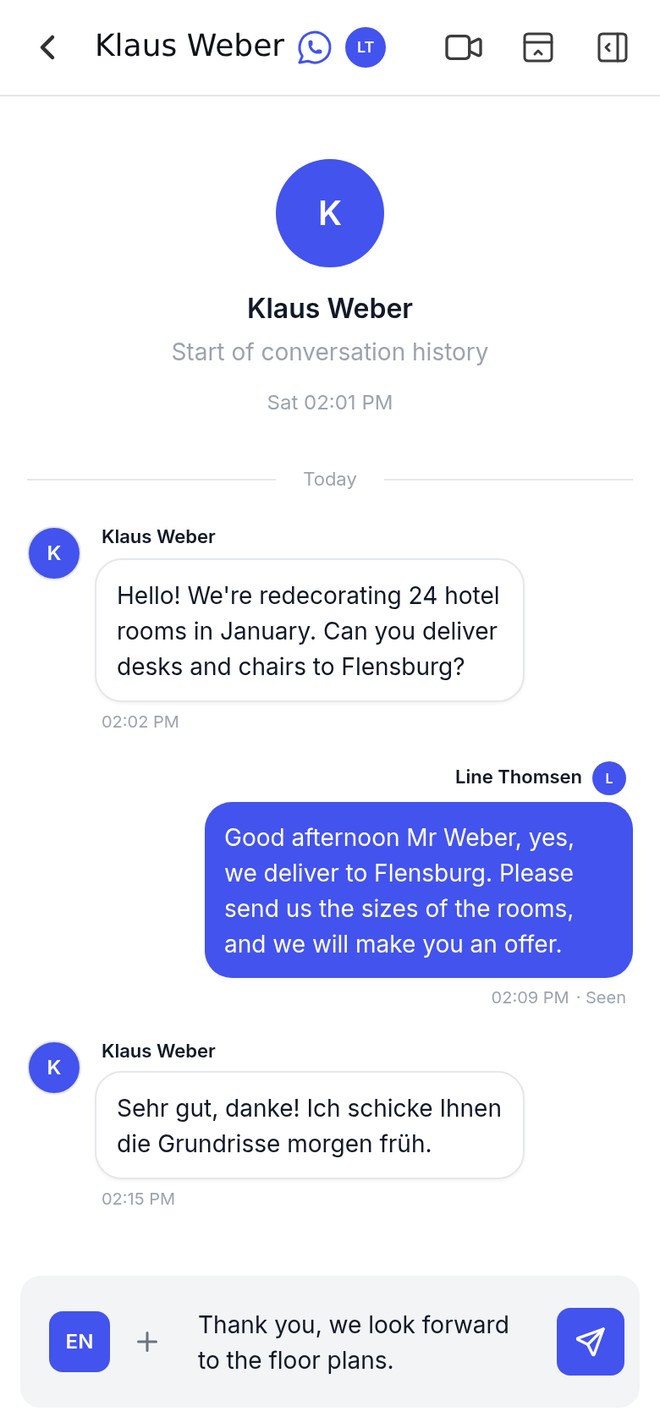
A German WhatsApp message and the English answer in the chat
A translated customer chat on a phone
Read in your languageOne click and the message reads in yours.
Reply in theirsWrite in your own words. Tailsky translates before it sends.
Saved for next timeA translation is kept, so the next reader sees it at once.
For the team tooColleagues read the team chat in their own language.
Mails, invoices and apps

The customer gets it in their own language.

Mails, text messages and invoices go out in the language set on the customer, and your apps read the same texts.

  • A version of each mail per language
  • Invoices in the customer's language
  • Apps and POS use the texts you manage here
InvoiceNordsee Windservice GmbH
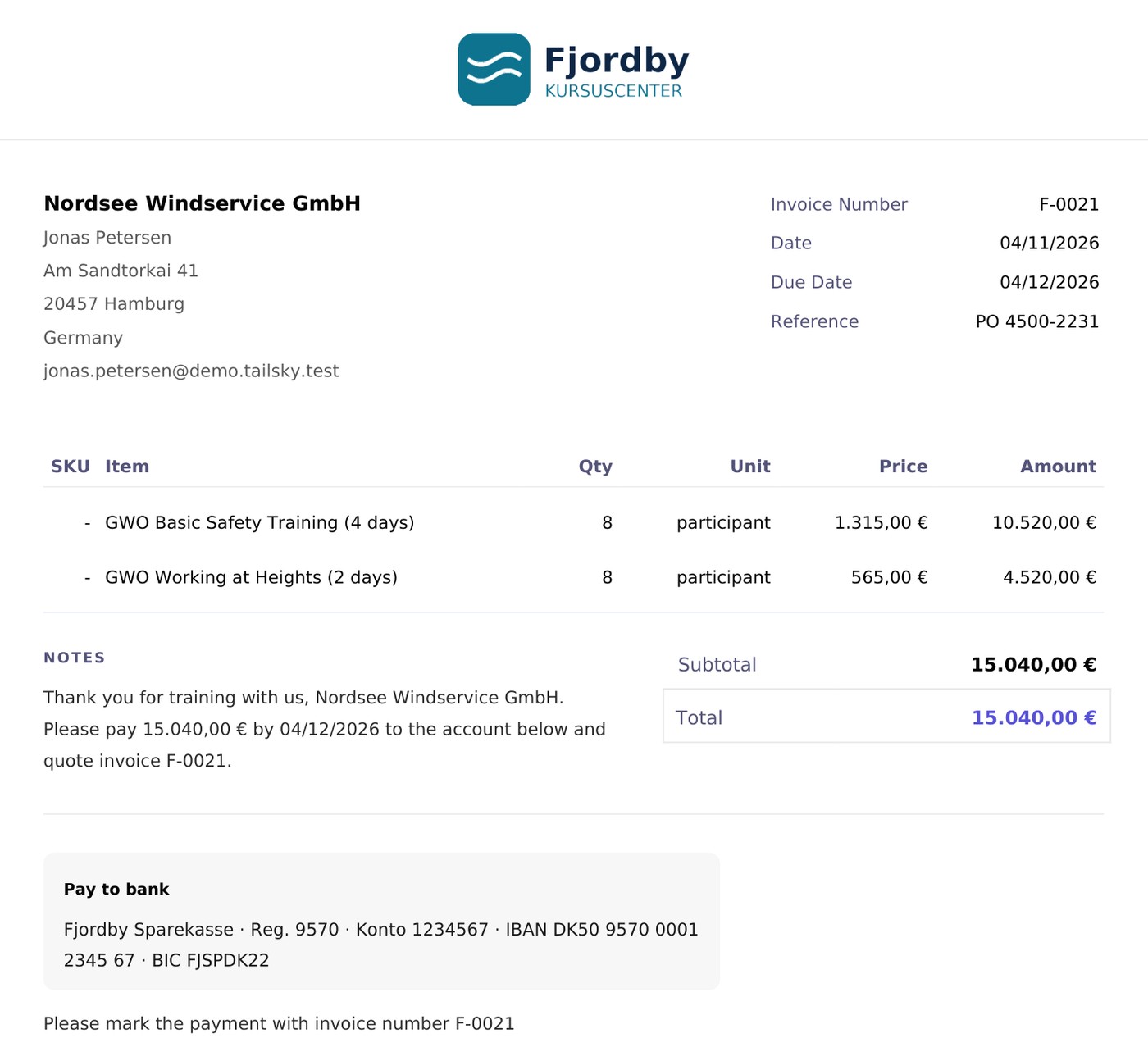
An invoice in English for a German customer, in euro
Mails per languageWrite a booking mail once per language. Each person gets theirs.
Text messages tooSMS templates have a version per language as well.
Invoices that fitSet a language on the customer and the invoice follows it.
Apps and POSYour app and POS read their texts from the same table.
Questions

What people ask about translations.

Which languages can I use?

Any language you add yourself. You choose for each one whether it shows in the admin, the app or on your website.

Do I need a translator or a developer?

No. AI translates the missing texts, and anyone with access corrects a text in the table or from the screen it is on.

Can I trust the AI translations?

You can check them. Each translation is marked as AI, manual or approved, and every change is kept in its history.

Can I translate texts outside Tailsky?

Yes. Export a language as a file, have it translated, and import it again with or without replacing what is there.

Do customers get mails and invoices in their language?

Yes. A mail has a version per language and goes out in the recipient's, and invoices follow the language on the customer.

What happens when Tailsky adds new texts?

New texts can be pulled from your parent setup, filling only what is empty, or translated by AI. Your own wording stays.

Serve your next market in its own language.

Tell us which languages your customers speak. We set up a demo in those languages and show you how the texts are kept up to date.