Website & CMSThis website is built with it

Your website, articles and surveys. No code.

Build pages from ready blocks or let AI draft them, write articles in every language, and collect answers with forms and surveys, in the same system that runs your business.

Page builderFjordby Kursuscenter
A web page open in the drag-and-drop page builder
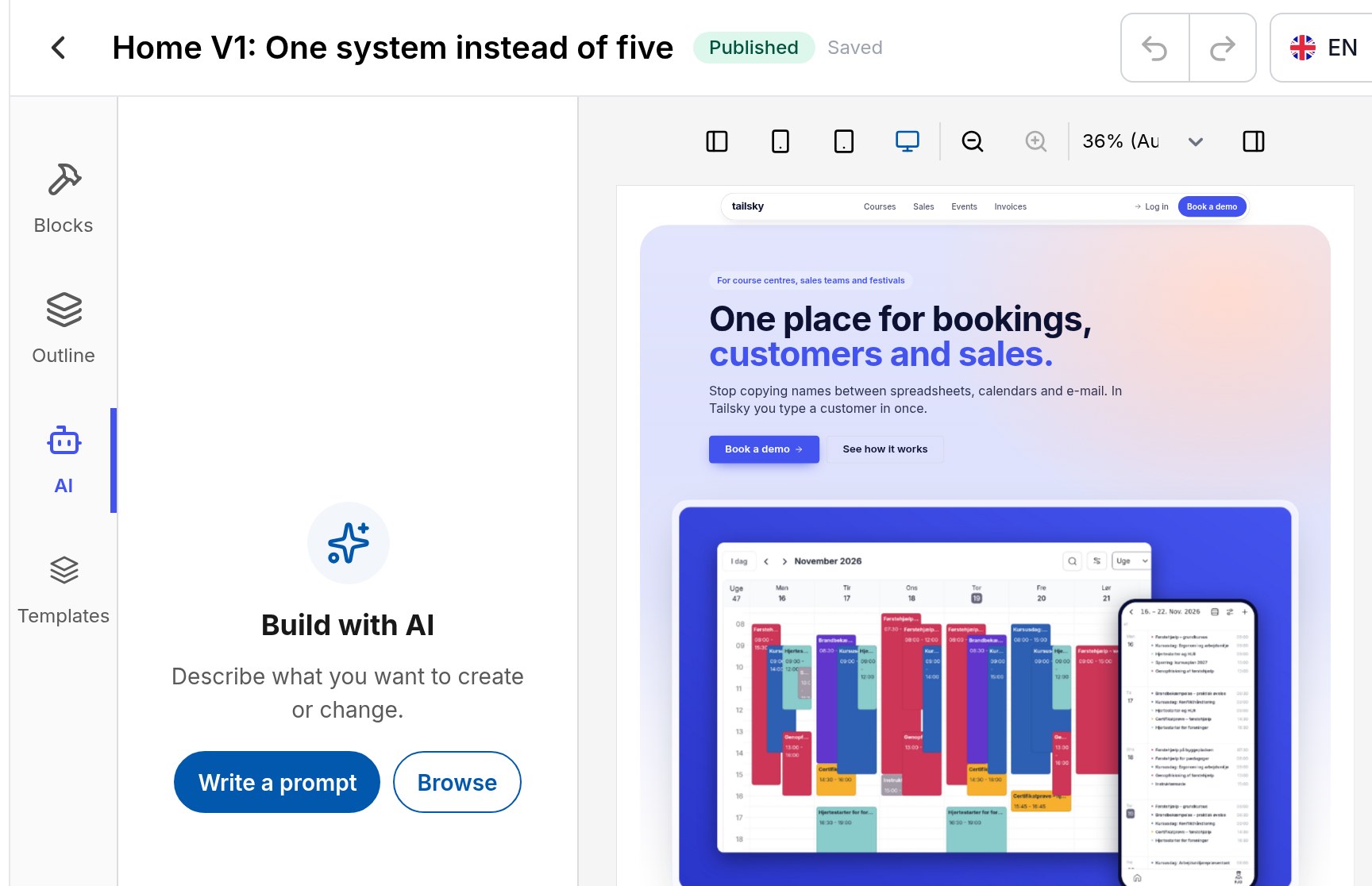
Build with AIFjordby Kursuscenter
The AI panel in the page builder
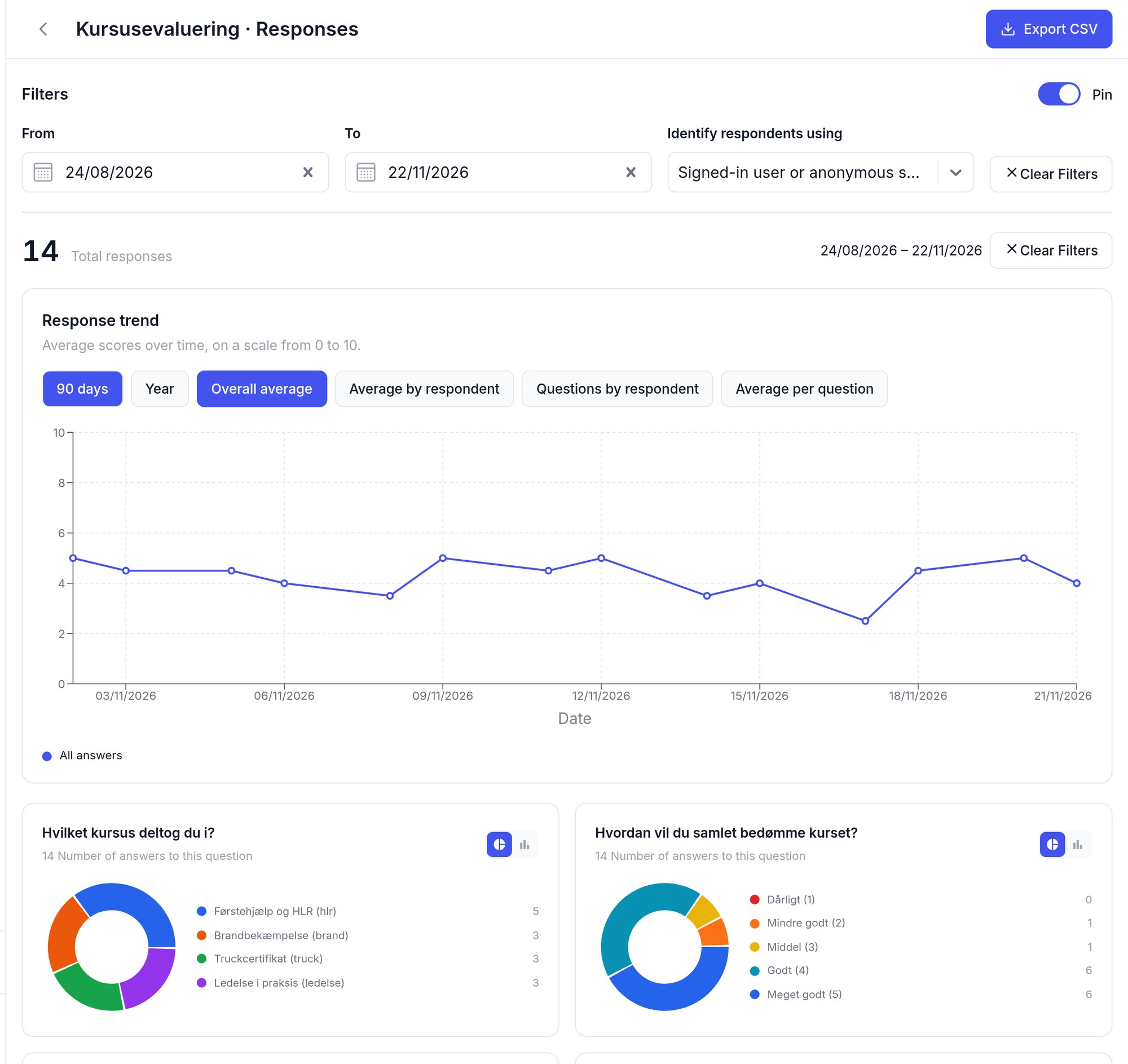
Survey resultsKursusevaluering
Survey results with charts per question
Page builder

Drag blocks onto the page and publish.

Pick a block, type your text, add your pictures and see the page as visitors will, on a computer, tablet or phone.

  • Ready blocks for every part of a page
  • Preview on computer, tablet and phone
  • Draft first, publish when it is ready
Page builderFjordby Kursuscenter
The page builder with blocks on the left and the page in the middle
Ready blocksHeroes, features, galleries, prices, questions and forms.
Every screenCheck the page on computer, tablet and phone before you publish.
Safe changesEvery save is kept, so you can go back to an earlier version.
Built with itThe page you are reading was made in this builder.
Websites

Start from a template, not a blank page.

Choose a ready page or section, make it yours, and keep all your pages in order per website and language.
  • A library of ready pages and sections
  • Sub-pages under each page
  • Every page in each of your languages
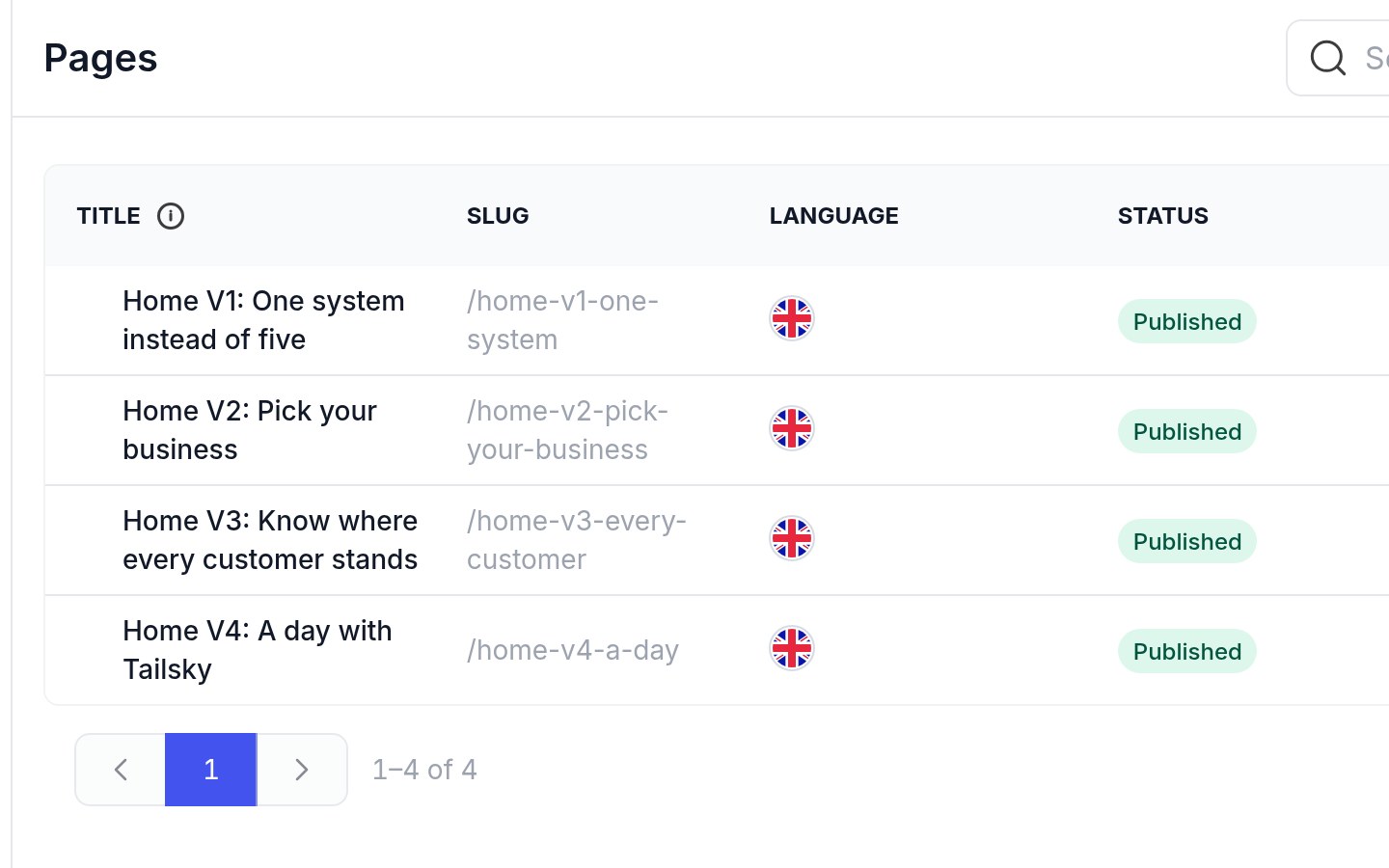
PagesFjordby Kursuscenter
The list of pages with their languages and status
TemplatesPreview a template before you use it, and save your own.
More than one siteKeep each website with its own domain and pages.
Every languageAdd a language from its flag and the page is copied for you.
Draft or liveSee at a glance which pages are published.
AI Web Builder

Describe the page. AI builds it.

Tell the AI in the page builder what you need, and it builds or changes the page with your own blocks.

  • Build or change a page from a prompt
  • Create images from a description
  • Translate articles into your other languages
Page builderBuild with AI
The Build with AI panel in the page builder next to the page
Pages from a promptWrite what the page should say and show, and AI lays it out.
Images from wordsDescribe an image, or the change you want, and AI makes it.
AI translationMake the English version of a Danish article in one step.
You decideEverything AI makes is yours to edit before you publish.
Articles

Write once, publish in every language.

News, guides and help texts in a simple editor, with categories, search-friendly fields and every version kept.
  • Several people can write at the same time
  • Compare and restore earlier versions
  • Draft, published or private
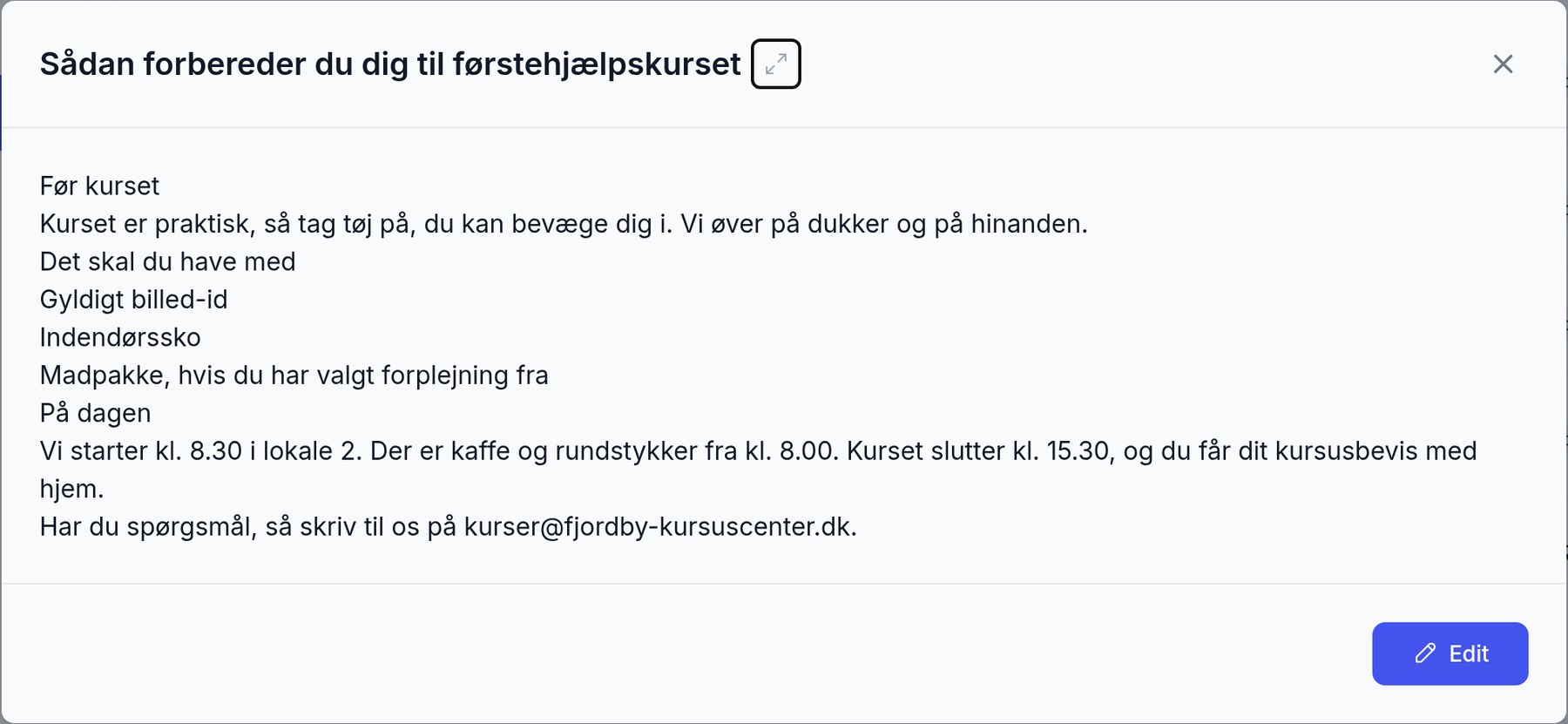
ArticleFørstehjælpskurset
An article for course participants, ready to publish
Write togetherColleagues edit the same article at the same time.
Every versionSee what changed and go back with one click.
Found on GoogleTitle, description and keywords for search engines.
In orderCategories, tags and who can read each article.
Forms

Forms that fill your customer list.

Build sign-up and contact forms by dragging fields, and every answer lands in the CRM as a contact.
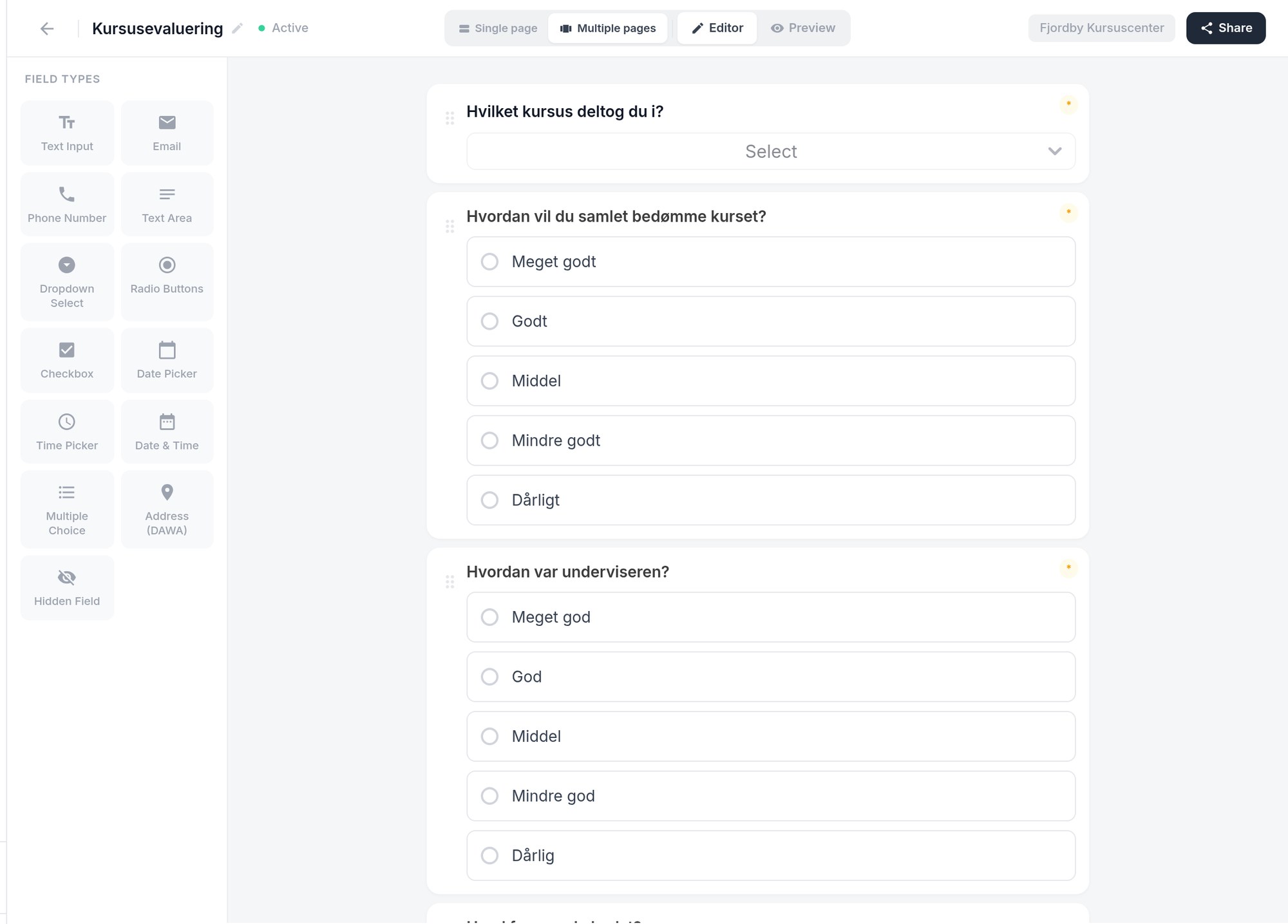
  • Text, choices, dates, address and more
  • Steps and fields that show only when needed
  • Share a link or put the form on your site
Form builderKursusevaluering
The form builder with field types on the left and the questions in the middle
Drag the fieldsText, e-mail, phone, choices, date, time and address.
Smart formsSplit a form into steps and show fields only when they apply.
Into the CRMEach answer becomes a contact you can follow up.
AnywhereShare a link, or add the form to any page.
Surveys

Ask the question. See the answer in a chart.

Send a survey and the answers are counted for you, per question and over time.

  • One question per page, or all on one
  • A chart for every question
  • Export the answers to a spreadsheet
Survey resultsKursusevaluering
Survey results with a chart per question and the trend over time
Charts per questionSee how the answers spread, as a donut or bars.
Trend over timeFollow how the answers change from week to week.
Anonymous if you likeCollect answers with or without names.
ExportDownload the answers as a CSV file.
Also in the builder

One editor for everything you publish.

Info screens

  • Full-screen slides for a TV or tablet
  • App pictures, video and a QR code

E-mail and SMS

  • Mail and SMS templates made with blocks
  • One header and footer for every mail
  • Preview with real data before you send

Languages

  • Pages and articles in each of your languages
  • Visitors pick their language
Questions

What people ask about the website and CMS.

Do I need to know code?

No. You build pages from ready blocks and type straight into them.

Can I use my own domain?

Yes. Each website is linked to its own domain.

What does the AI do?

It builds or changes a page from your description, creates and edits images, and translates articles. You check and edit everything before you publish.

Can the website be in more languages?

Yes. Every page and article can have a version in each language you offer.

Where do the form and survey answers go?

Form answers become contacts in the CRM, and survey answers are shown as charts you can export.

See your own website in Tailsky.

Tell us what your site needs. We build a demo page with your content and show you how to change it.