Every project and task in one place. On time.

Plan the work on boards, give every task an owner and a deadline, and see at a glance what is done, what is late and what comes next.

Projekter 2026Nordvind Salg ApS
A project board with ideas, planned, in progress, for approval and done
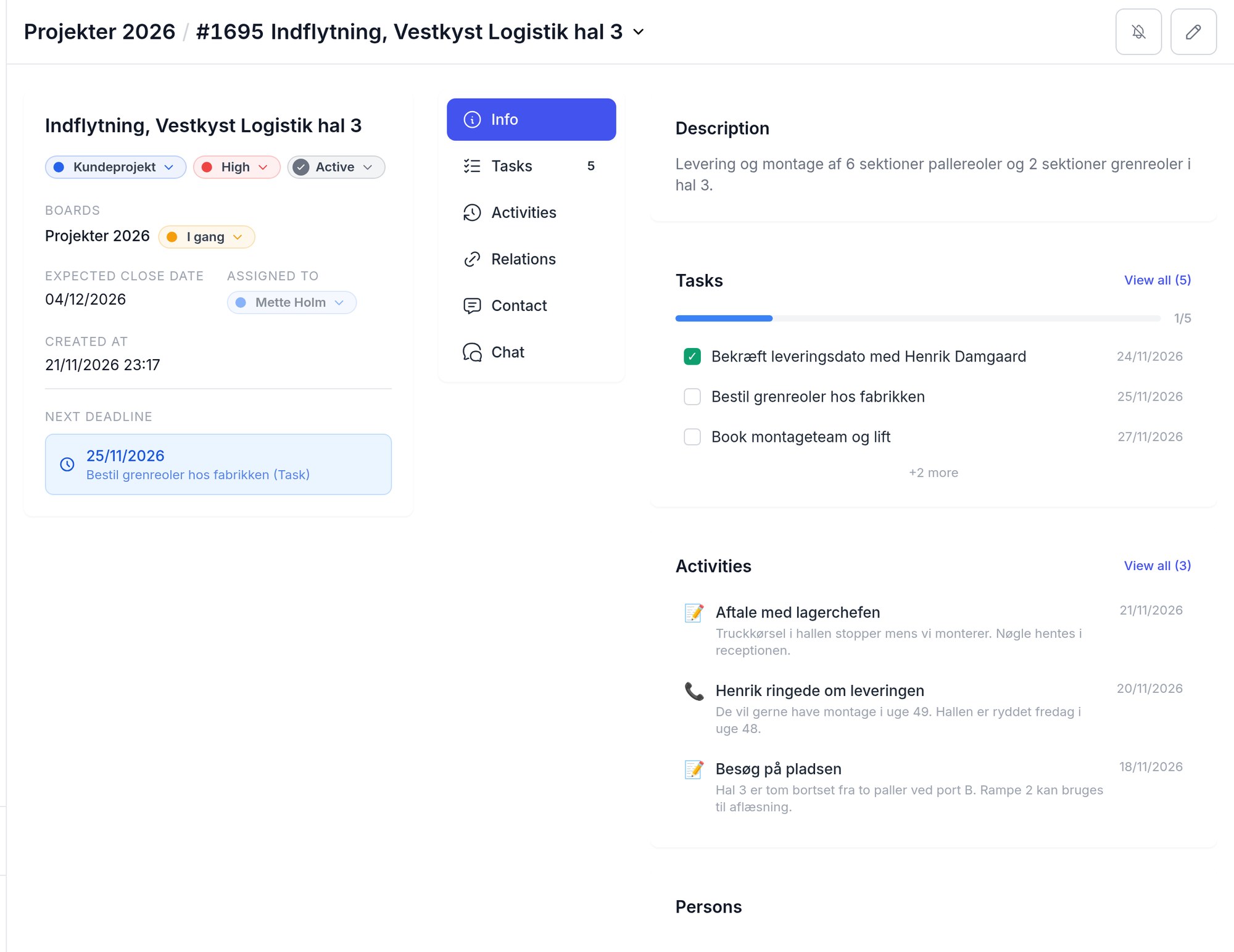
ProjectIndflytning, Vestkyst Logistik hal 3
A project card with its tasks, next deadline and log
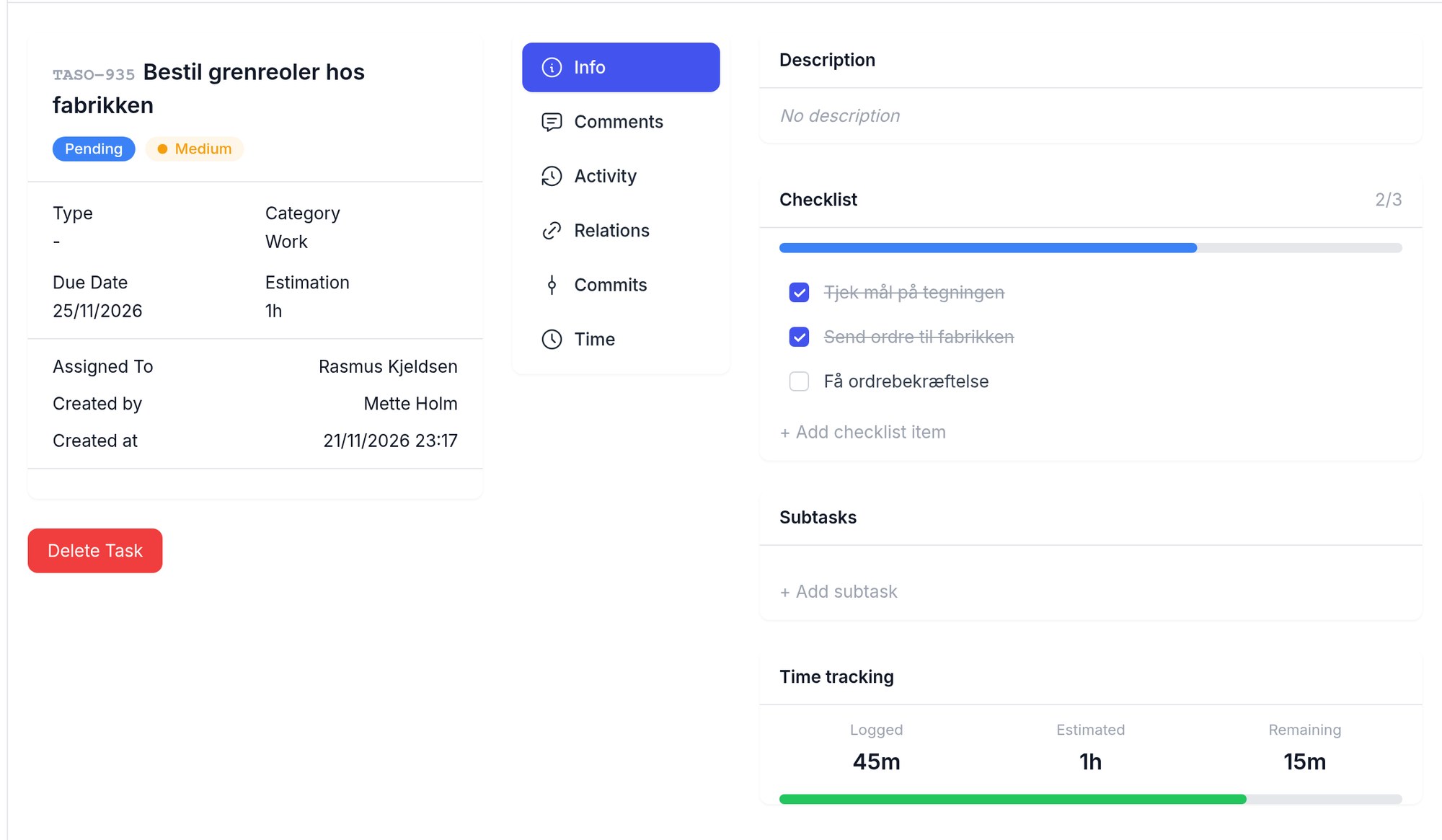
TaskBestil grenreoler
A task with checklist, owner, deadline and time
Plan

From idea to done on one board.

Give every team its own board with the steps you work in, and move the work along as it happens.

  • Columns you name and colour
  • Group cards that belong together
  • Work that repeats comes back by itself
Projekter 2026Nordvind Salg ApS
A project board with five columns and project cards
Your own stepsIdeas, planned, in progress, done, or any steps you use.
Card groupsKeep the cards of one customer together and move them as one.
Repeats by itselfA card for monthly or weekly work comes back on its date.
Live for everyoneA colleague moves a card and your board changes too.
Projects

Open a card and see the whole project.

Owner, deadline, tasks and the latest notes are on one screen, so nobody has to ask where things stand.
  • Owner, priority and deadline on every card
  • The next deadline at the top
  • Links to the cards it depends on
ProjectIndflytning, Vestkyst Logistik hal 3
A project card with owner, deadline, tasks and recent activity
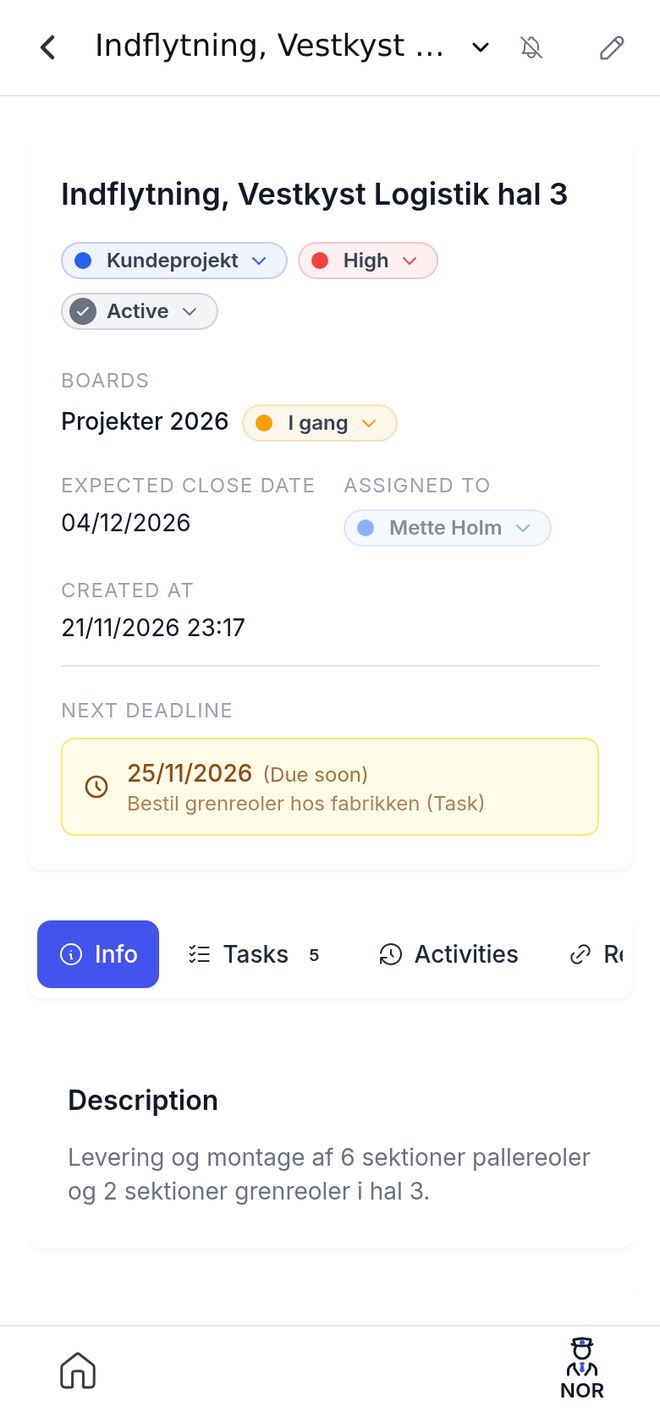
The project card on a phone
One ownerEvery card has a person who answers for it.
Next deadlineThe card shows the date that comes up next, and what it is for.
Linked workLink a card to the cards it depends on.
On the phoneThe same card and tasks on a phone, on the go.
Tasks

Every task has an owner and a date.

Break a project into tasks, give each one to a person, and tick off the steps as they get done.

  • Deadline with date and time
  • Checklists with @mentions
  • Sub-tasks for the bigger jobs
TaskBestil grenreoler hos fabrikken
A task with a checklist, owner, deadline and time logged
AssignedEach task goes to one person, who sees it in their list.
ChecklistsSteps to tick off, with @mentions and a date per step.
Never late by surpriseDue today, tomorrow and overdue stand out, and people get a notice.
Your workflowChoose the statuses a task can have and the moves allowed between them.
Progress

See how far each project has come.

Tasks done, time spent and time left are counted for you, on the card and on the board.
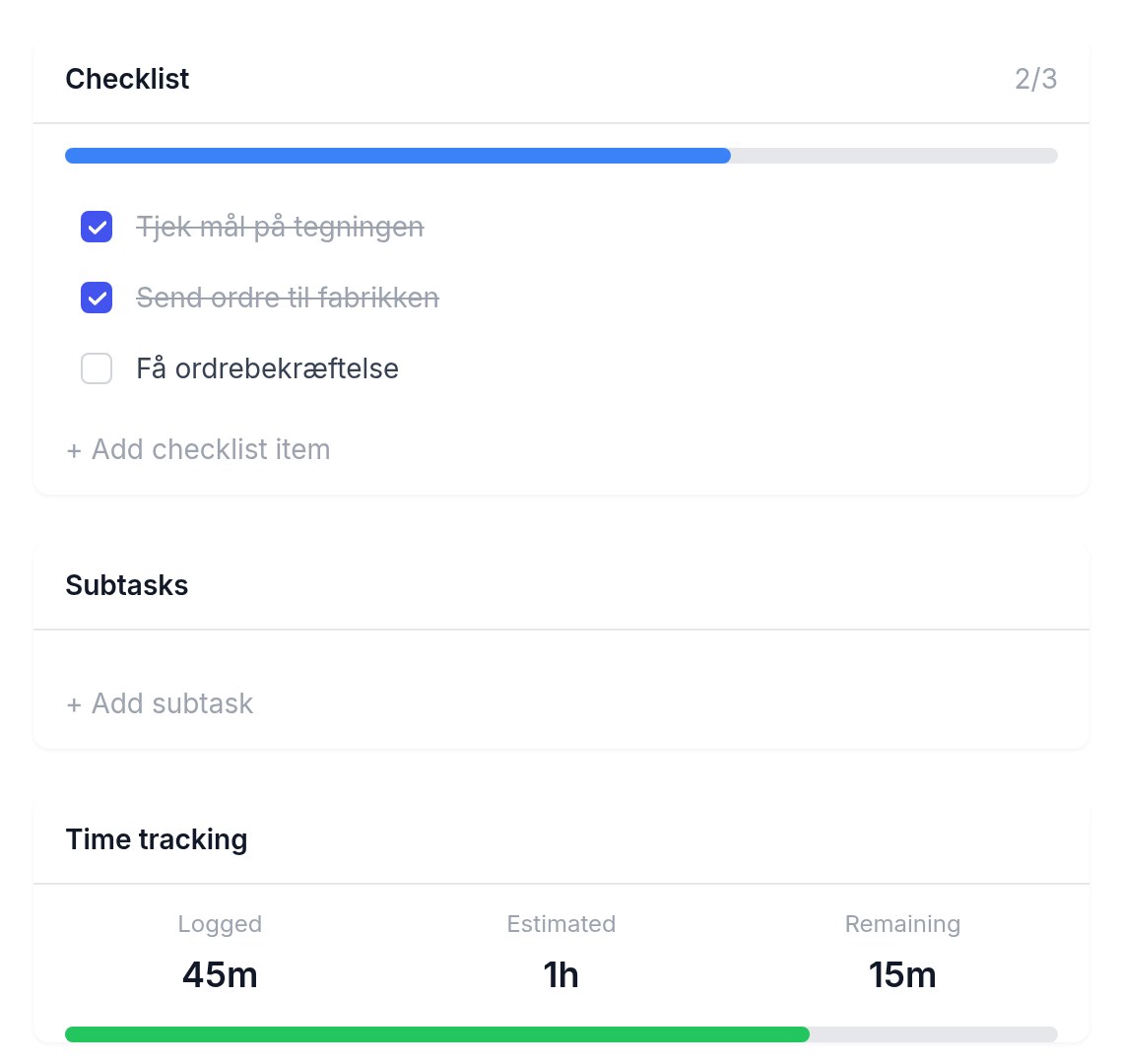
  • Tasks done out of total on every card
  • Estimated time against time logged
  • All tasks in one list, filtered your way
TaskBestil grenreoler hos fabrikken
A checklist with two of three steps done and the time logged against the estimate
Progress per cardA bar shows how many tasks are done.
Time on the clockStart, pause and stop a timer, or add the time by hand.
Time per columnEach column shows the time planned, left or over.
One list for allEvery task in the company, filtered by person, status or board.
Logbook

A logbook that writes itself as you work.

Calls, meetings and notes are kept on the project, with the date and who wrote them.
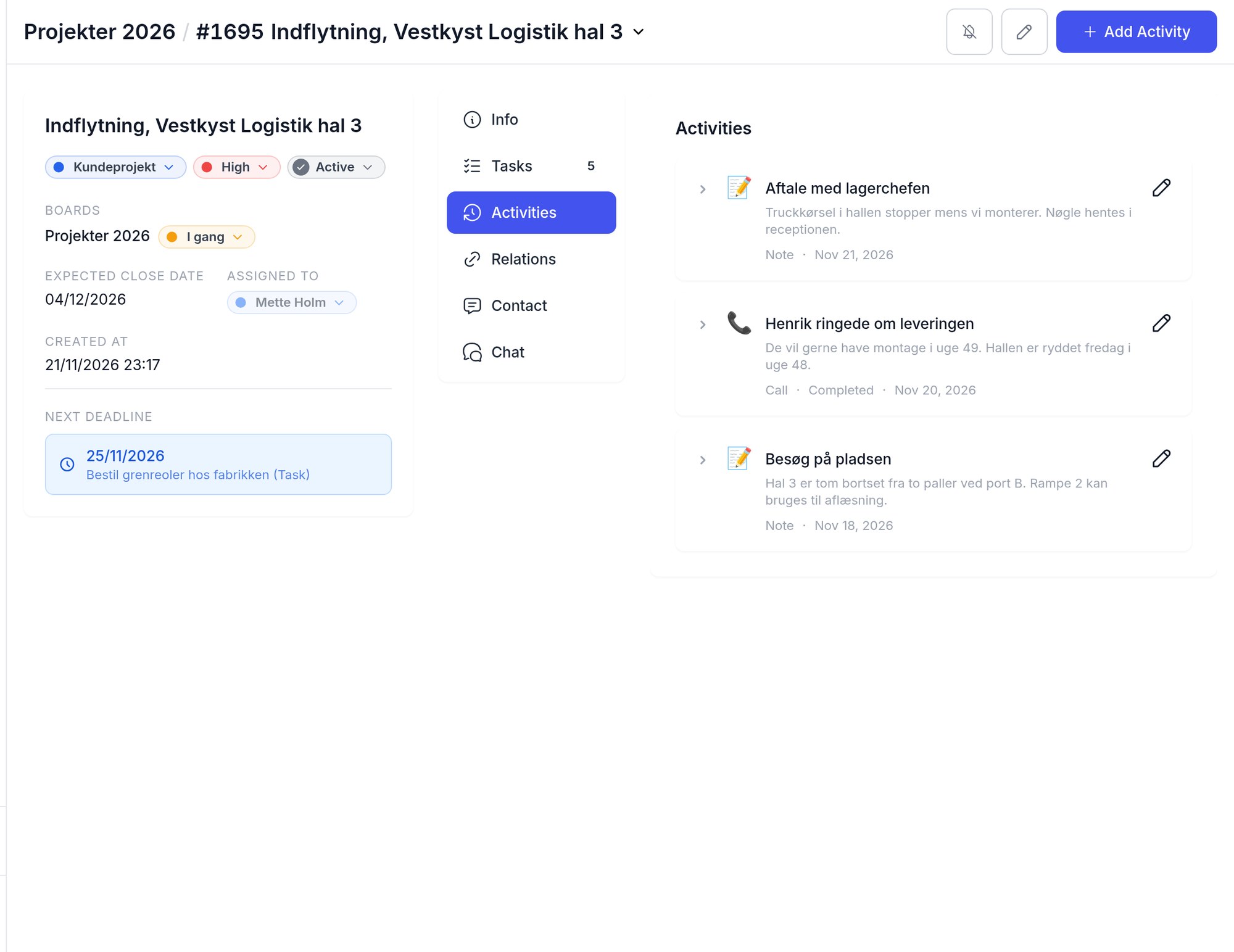
  • Notes, calls, meetings and mails
  • Date, time spent and follow-up
  • A journal of what changed and when
LogbookIndflytning, Vestkyst Logistik hal 3
The logbook of a project with notes and a call
Internal notesWrite down what was agreed, right on the project.
Calls and meetingsWith the time spent and a date to follow up.
Every change keptEach task keeps a record of who changed what.
One journalSearch what happened across the company, by person and date.
Together

Talk about the work where the work is.

Each project has its own chat, and you hear about the changes you care about.
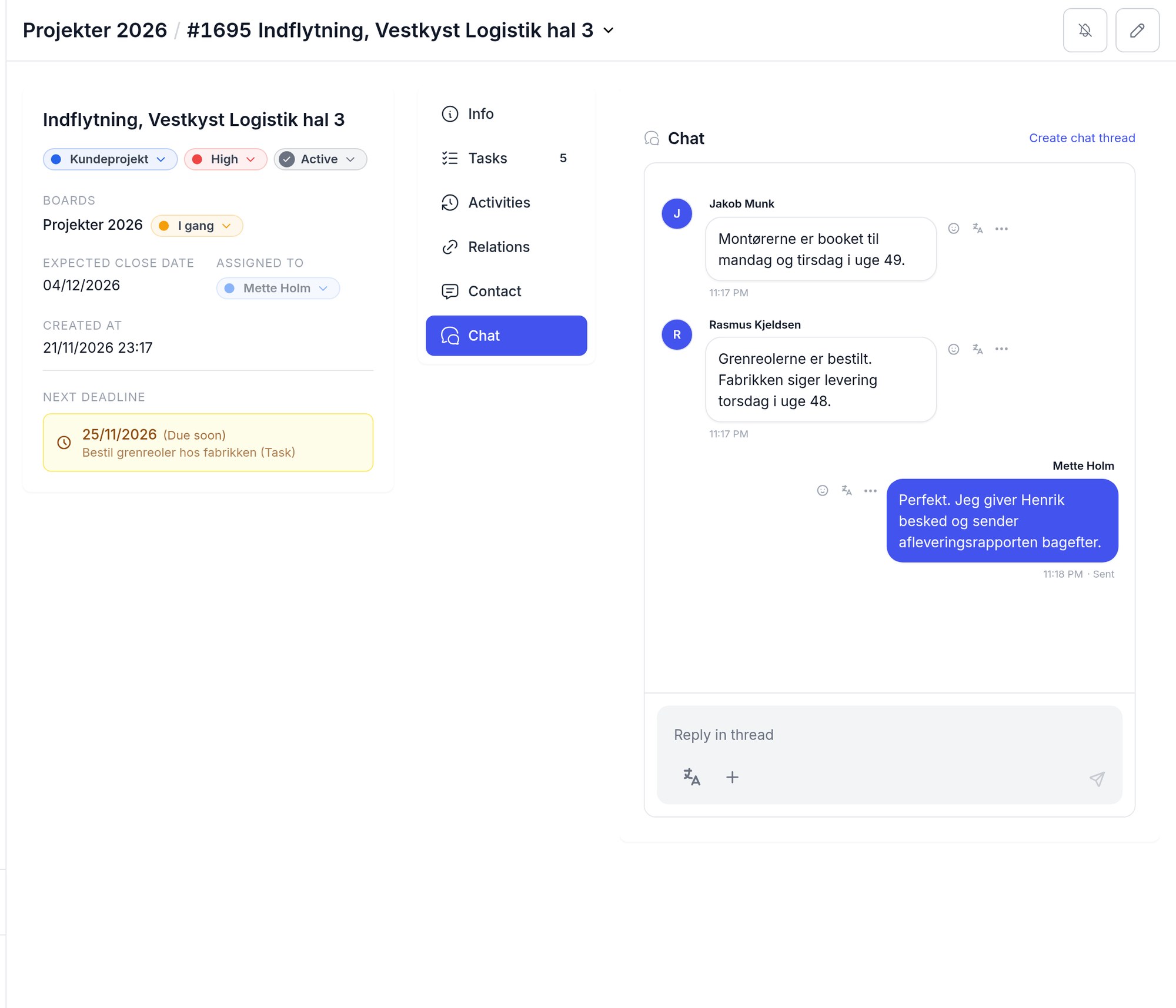
  • A chat thread on every card
  • @mention a colleague to bring them in
  • Follow a board, a column or one card
ChatIndflytning, Vestkyst Logistik hal 3
The chat thread on a project card with three colleagues
Chat per cardThe talk stays with the project, not in someone's inbox.
@mentionsMention a colleague and they get a notice.
FollowAt once, or as an hourly, daily or weekly summary.
Pick the eventsA new task, a moved card or a deadline coming up.
Integrations

Works with the tools your team already uses.

Slack

  • A board posts its news to a Slack channel
  • The team sees moves and comments where they talk

Jira

  • Work alongside your Jira projects
  • Keep tasks and projects in step

Bitbucket

  • Link commits to the task they solve
  • Developers and the rest of the team in one place
Questions

What people ask about tasks and projects.

Can each team have its own board?

Yes. Make as many boards as you need, each with its own columns.

Can I see what is late?

Yes. Cards and tasks show due today, tomorrow and overdue, and people get a notice before a deadline.

Can we log the time we spend?

Yes. Start a timer on a task or add the time by hand, and compare it with the estimate.

Where do we keep notes and minutes?

On the project itself, as notes, calls and meetings with the date and who wrote them.

Does it work on a phone?

Yes. Boards, cards and tasks work on a phone, so the team can update them on the go.

See your own projects in Tailsky.

Tell us how your team plans today. We set up a demo board with your steps and walk you through it.