Everything your event needs. In one place.

For festivals and fairs: ticket sales, the programme, the map, the volunteers, every bar's sales and your own event app, run from one login before, during and after the event.

Event overviewStrandfest Fjordby 2026
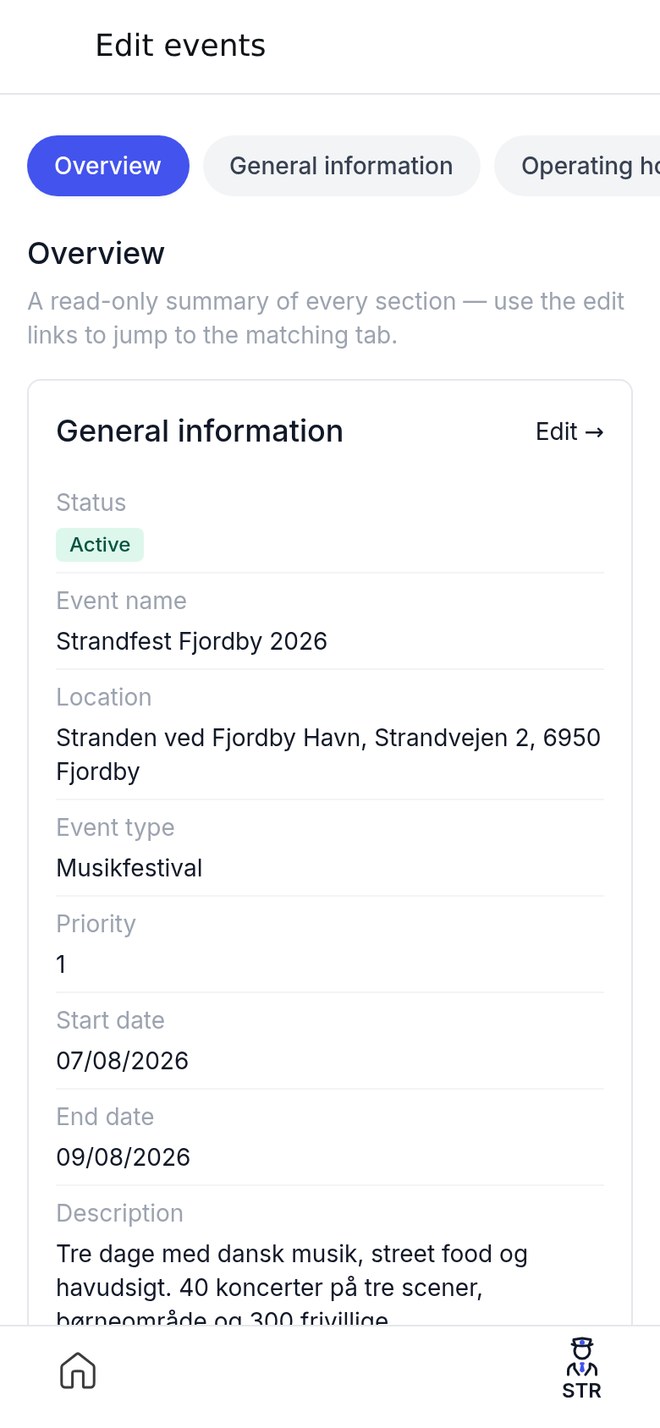
The event overview: status, dates, location, opening hours and images on one page
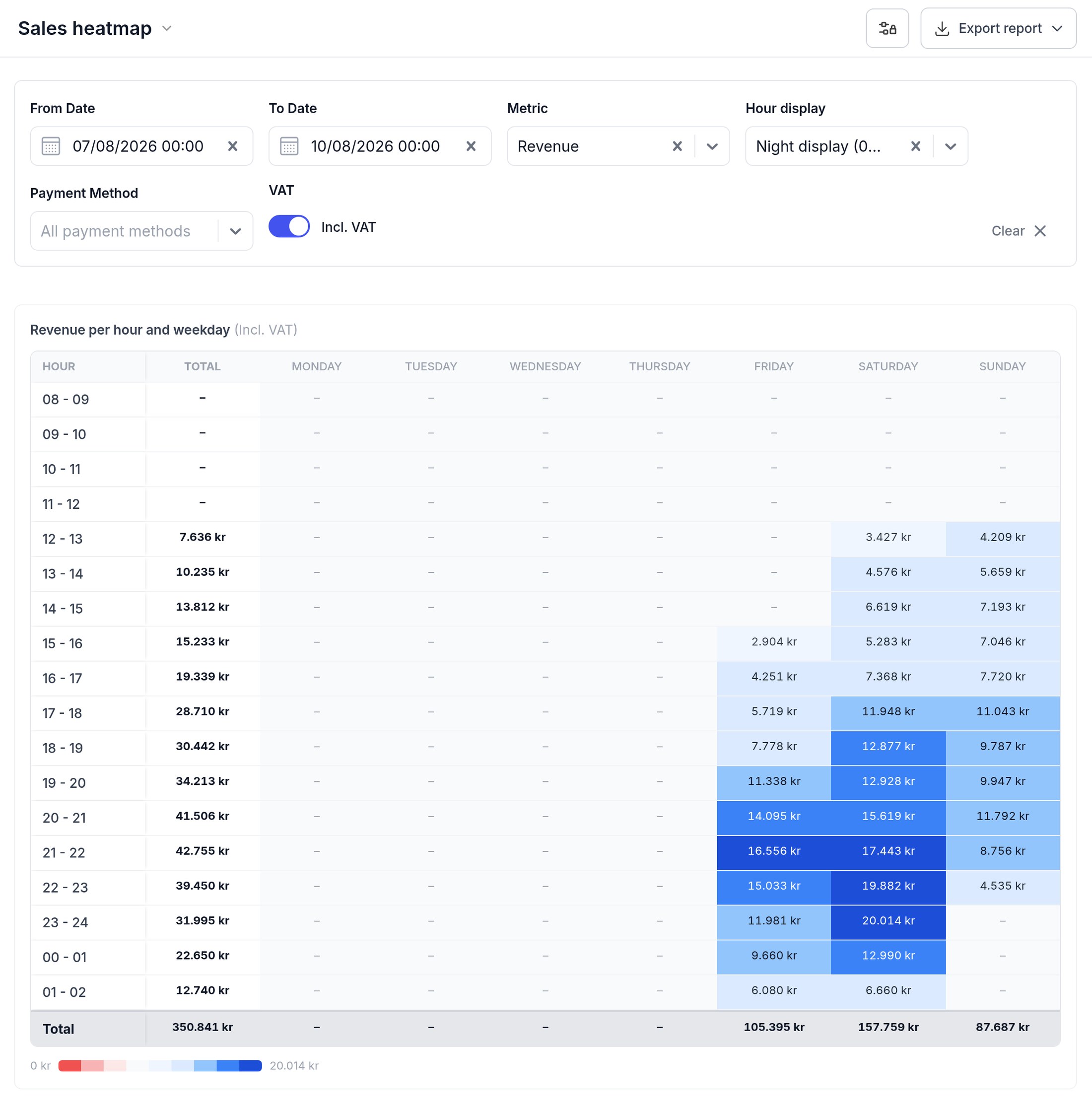
Sales heatmap7–9 August
Revenue per hour and weekday, with the evening rush in dark blue
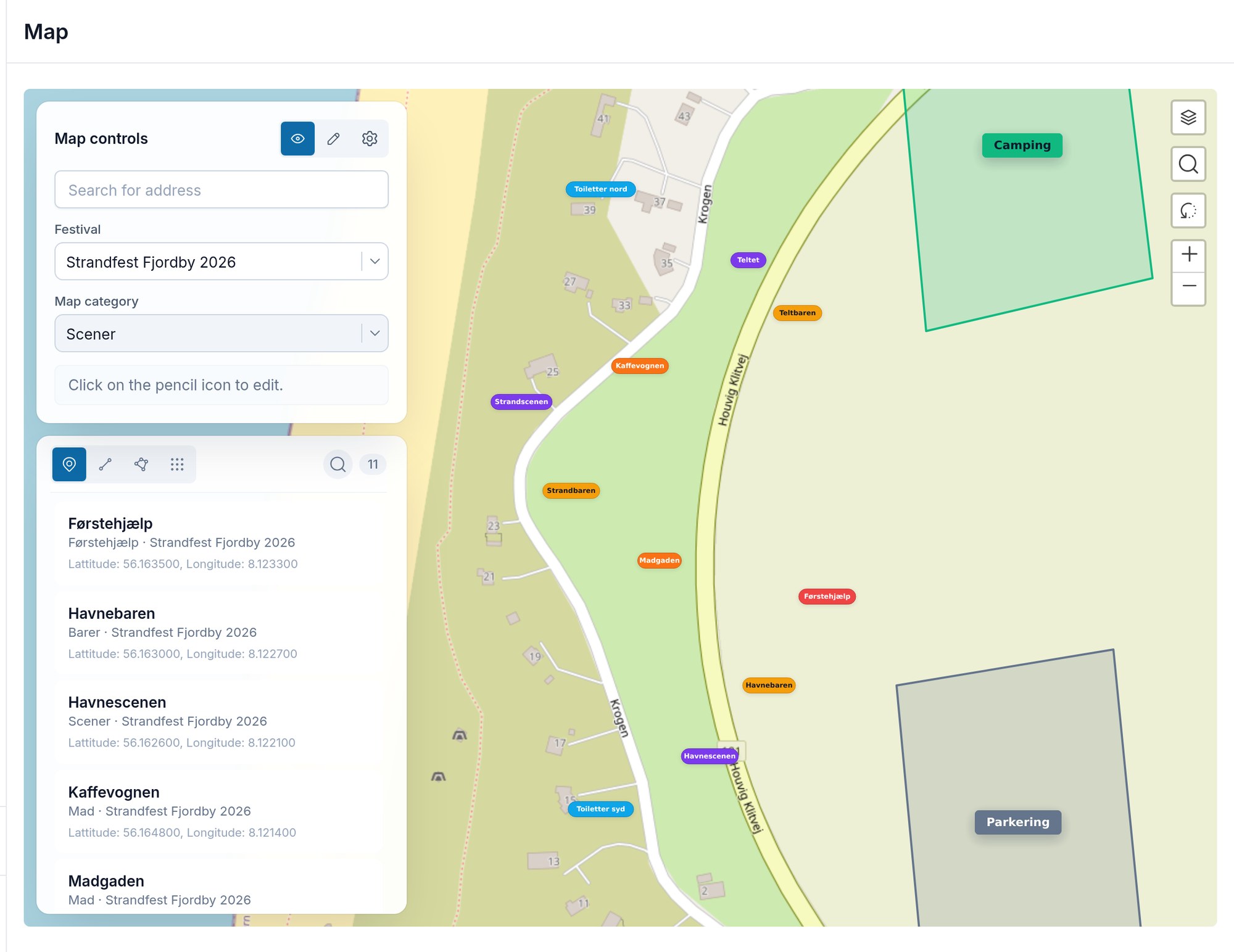
MapStrandfest Fjordby 2026
The festival map with stages, bars, food, toilets and first aid as pins
Programme and information

Your whole event, set up once.

Dates, line-up, stages, images and FAQs live on the event, with one overview of it all.

  • Artists on a stage and a time, day by day
  • Opening hours and booths per day
  • An edit link on every part of the overview
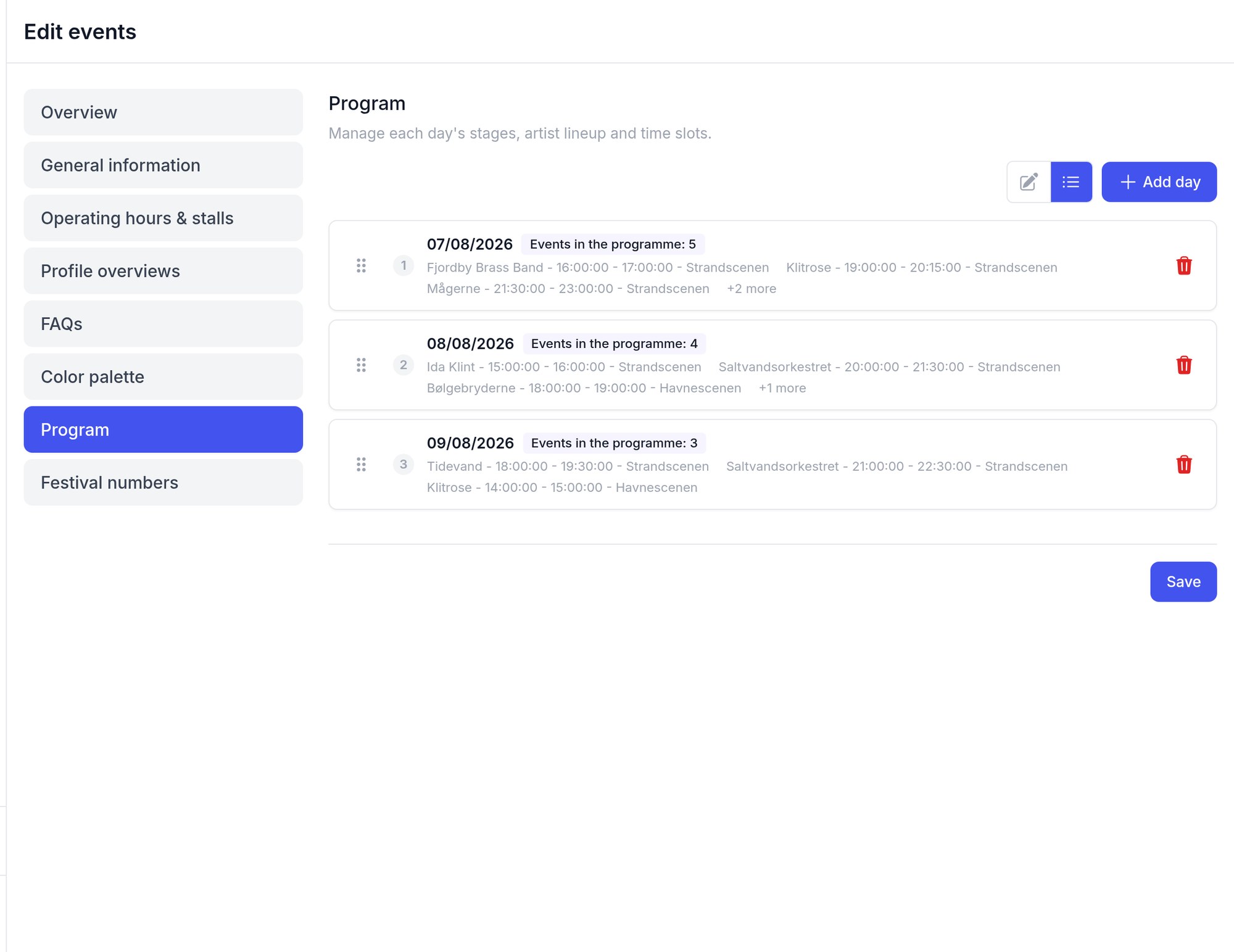
ProgrammeStrandfest Fjordby 2026
The programme: each festival day with its artists, stages and times
The event overview on a phone
Line-up first, times laterAdd the artists now and give them a stage and a time when you know.
Day by dayEvery day has its own schedule per stage.
Stages and boothsEach stage and booth with its opening hours and vendors.
Many events, one loginNext year's event sits next to this one, with its own line-up and map.
Tickets and sales

Tickets, drinks and food in one system.

Sell tickets before the event and run every bar on the day, with each sale in the same reports.

  • Ticket sales counted day by day
  • Card and cash at every till
  • Cup deposits and vouchers built in
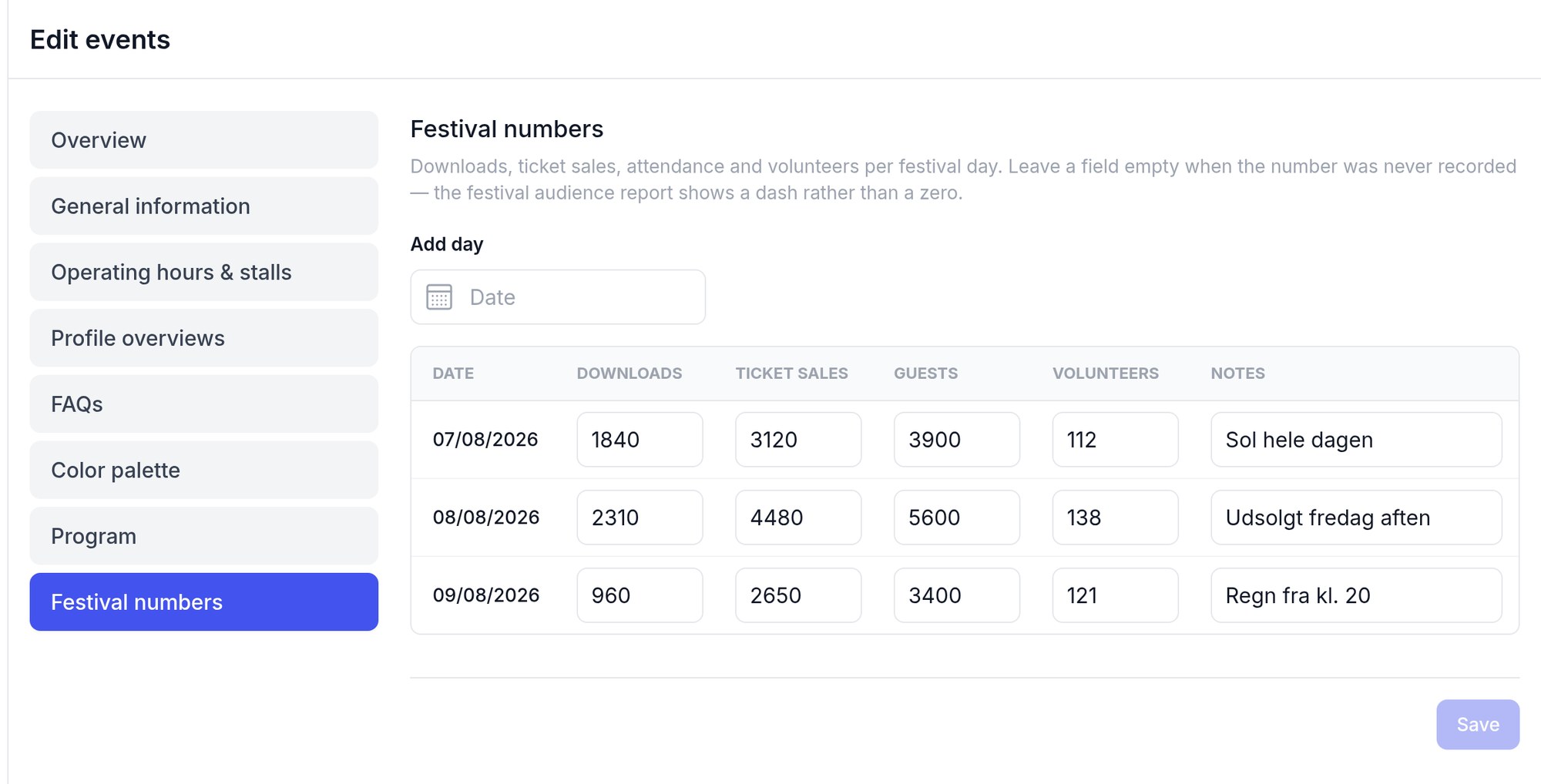
Festival numbersStrandfest Fjordby 2026
Downloads, ticket sales, guests and volunteers per festival day
Ticket salesSell tickets for your event and follow the count next to guests and volunteers.
A till at every barPhones and tablets, card and cash, set up per bar.
Cup deposits that come backThe deposit follows the drink, and a returned cup pays out as a coupon.
Vouchers with a trailDrink and food vouchers for volunteers and guests, issued and used per bar.
Sales reports

Know exactly what sold, where and when.

Reports made for events: by day, hour, product and payment, and side by side with last year.

  • A heat map of every hour, past midnight too
  • Compare with last year's event
  • Export every report to Excel or CSV
Sales heatmap7–9 August
Revenue per hour and weekday across the festival, with totals per day
Hour by hour, night includedThe event day runs past midnight, so the night stays with its day.
Every productSales per product and category, with deposits in or out.
The day in one pageTakings per channel, booth and payment method for each day.
This year against last yearSet each day against last year's event, with spend per guest.
The map

Draw your site and guests find their way.

Pins for stages, bars and first aid, areas for camping and parking, in your own colours.

  • Click the map to place a pin
  • Draw an area and name it
  • Guests see the same map
MapStrandfest Fjordby 2026
The map editor with pins for stages, bars, food, toilets and first aid
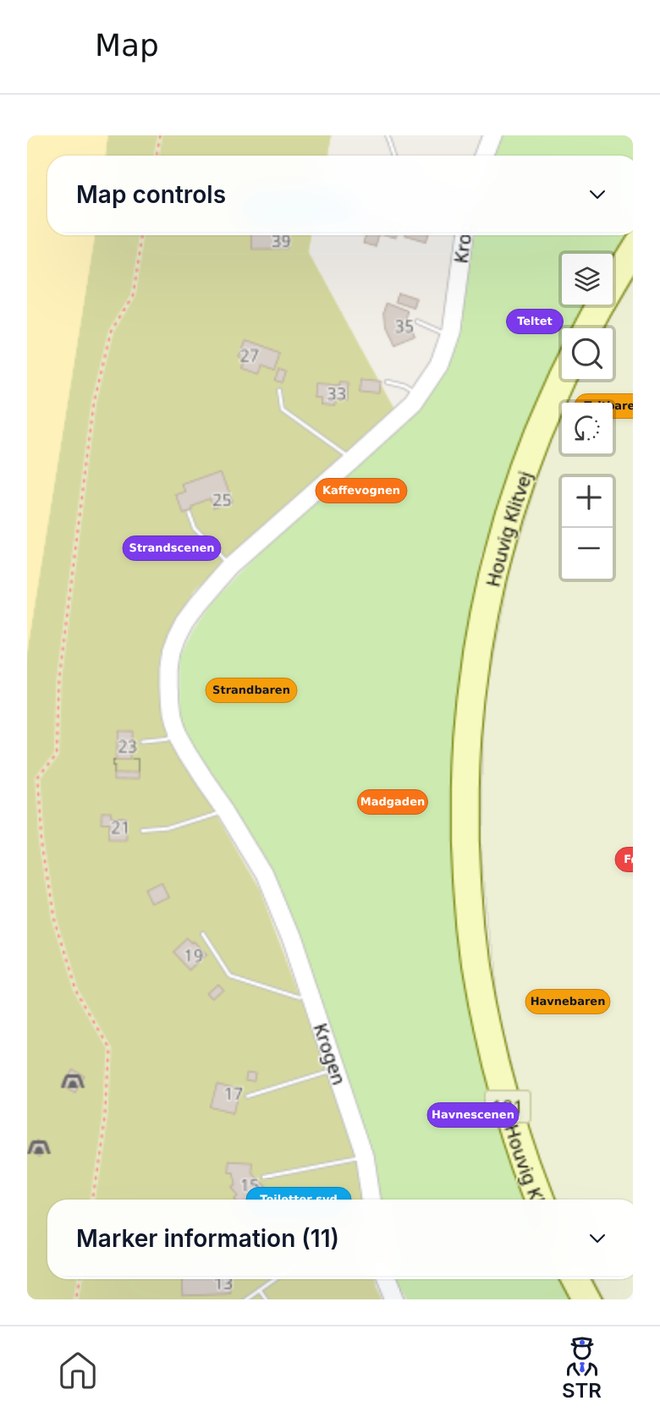
The festival map on a phone
PinsPut a pin on every stage, bar, toilet and first aid post.
AreasDraw camping, parking or backstage as a coloured area.
Your categoriesEach category has its own icon and colour.
The same map for guestsWhat you draw is what guests see in the app.
Volunteers and sign-ups

Your crew signed up and checked in.

Sign-up forms on your website, shifts in the calendar and QR check-in at the gate.

  • Approve each sign-up
  • Check in by scanning a QR poster
  • Drink vouchers on the volunteer's phone
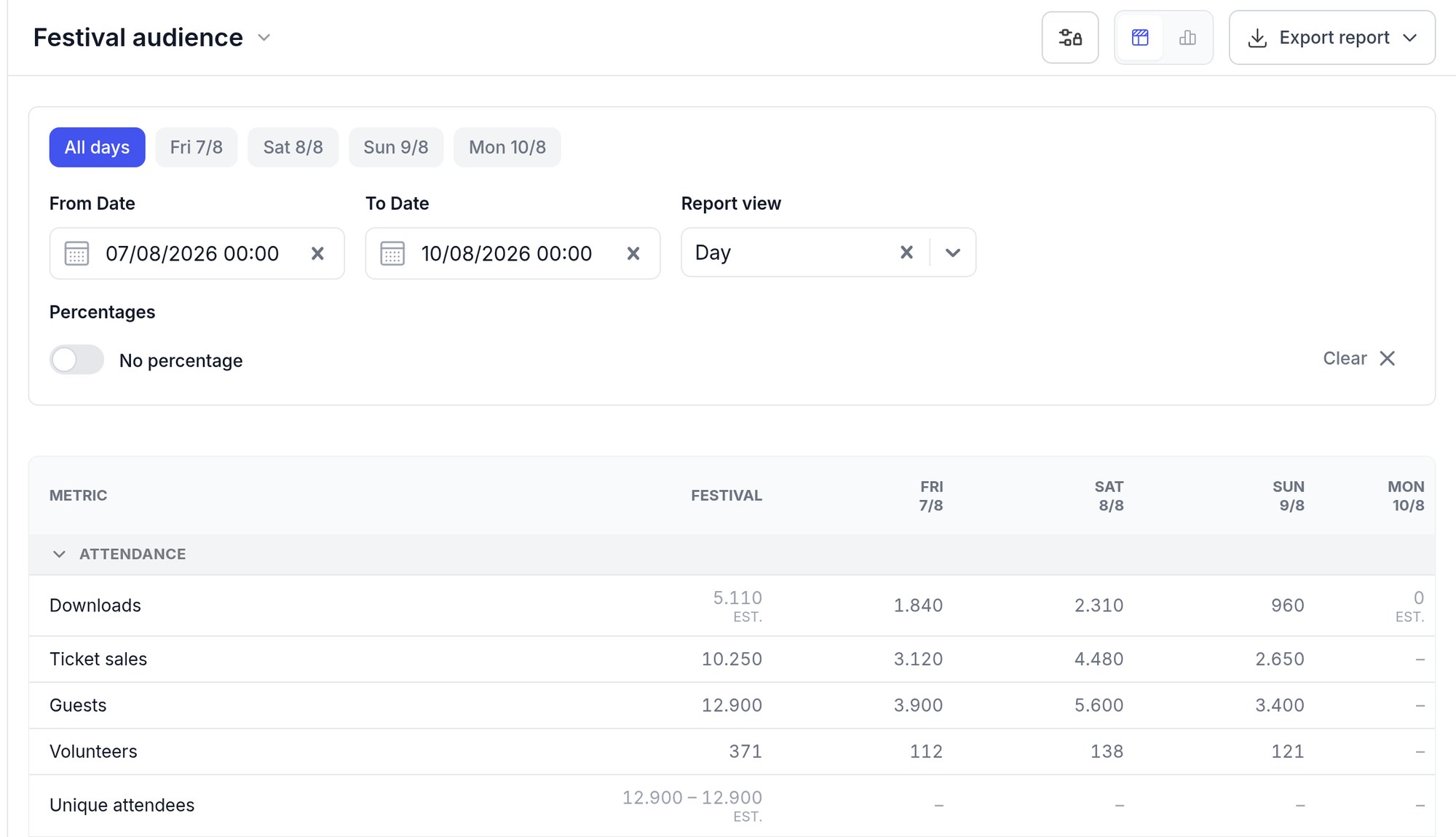
Festival audienceStrandfest Fjordby 2026
The festival audience report: downloads, ticket sales, guests and volunteers per day
Sign-up formsBuild the form, put it on your site and approve each sign-up.
Shifts in the calendarEvery volunteer sees their shifts, and you see who has checked in.
Check in with a QR posterVolunteers scan the poster and are checked in for the day.
A chat per crewTeam and shift chats are made for you.
Guests and your app

Your own app, in your name.

Guests get the programme and the map, book meetings and talk to each other.

  • In the app stores under your name
  • Your colours, images and sponsors
  • Meetings and chat between guests
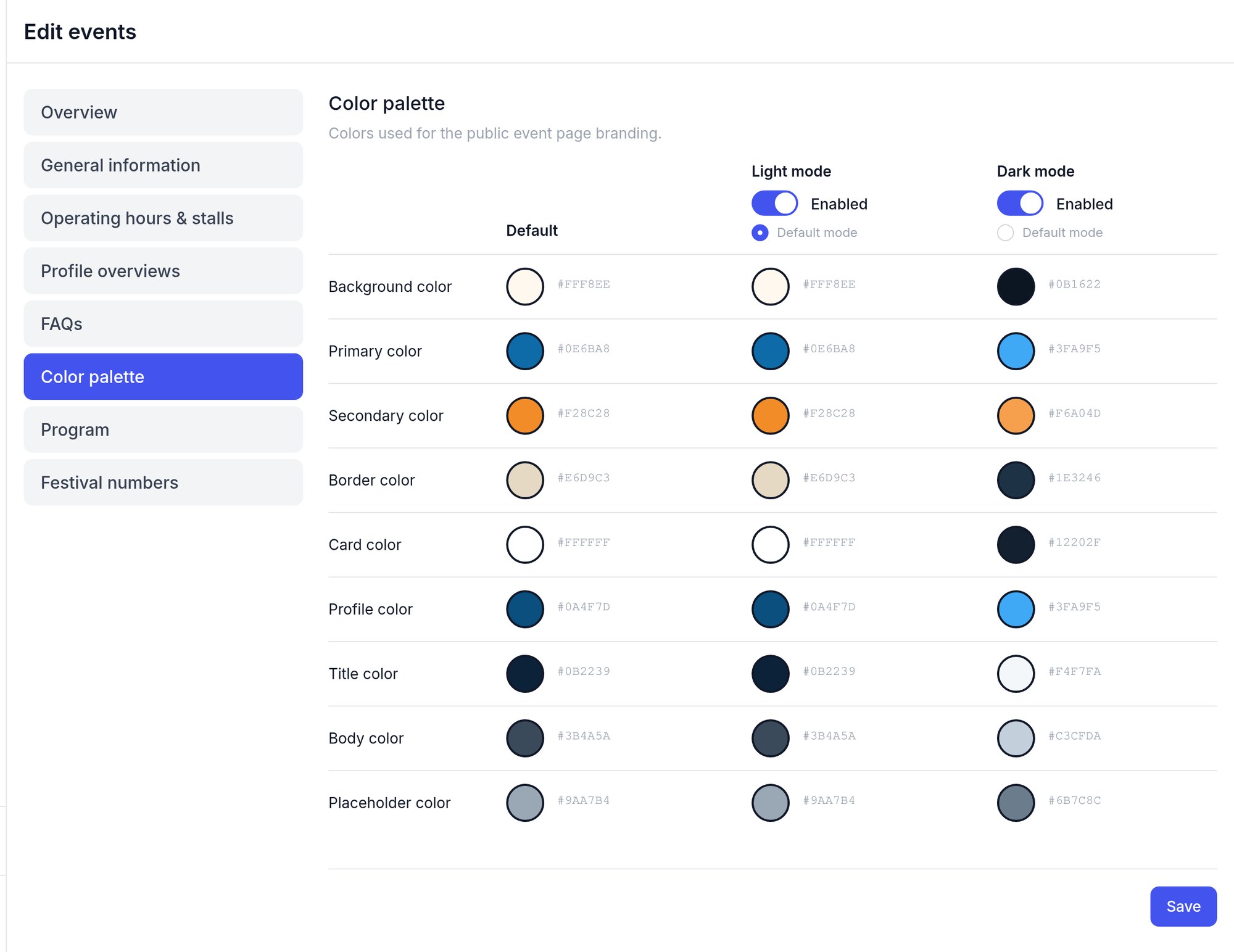
Colour paletteStrandfest Fjordby 2026
The colour palette the event app uses
Your app in the storesYour event app under your own name, in your colours.
Book a meetingGuests book meetings with each other or with sponsors.
Guests talkGuests chat with each other in the app.
Info screensSlides and a QR code to the app on the big screens on site.
Questions

What organisers ask about events.

Can we sell tickets in Tailsky?

Yes. Sell tickets for your event and follow ticket sales day by day, next to guests, volunteers and app downloads.

Which sales reports do we get?

Reports by day, hour, product, category and payment, plus deposits, vouchers and audience. Every report exports to Excel or CSV.

Can we compare with last year?

Yes. Set each day against the same day of last year's event, with spend per guest.

Do we get our own app?

Yes. Your event app comes in your own name and colours, with the programme, the map, meetings and chat.

How do volunteers check in?

They scan a QR poster at the gate. Tailsky checks them in for the day and gives them their vouchers.

See your own event in Tailsky.

Tell us about your event. We set up a demo with your programme, your bars and your map, and walk you through it.