Every customer message in one inbox. Any language.

E-mail, WhatsApp, social and website chat land in one list, linked to the customer. Your team answers from one place, in the customer's language, and every message has someone on it.

ChatNordvind Salg ApS
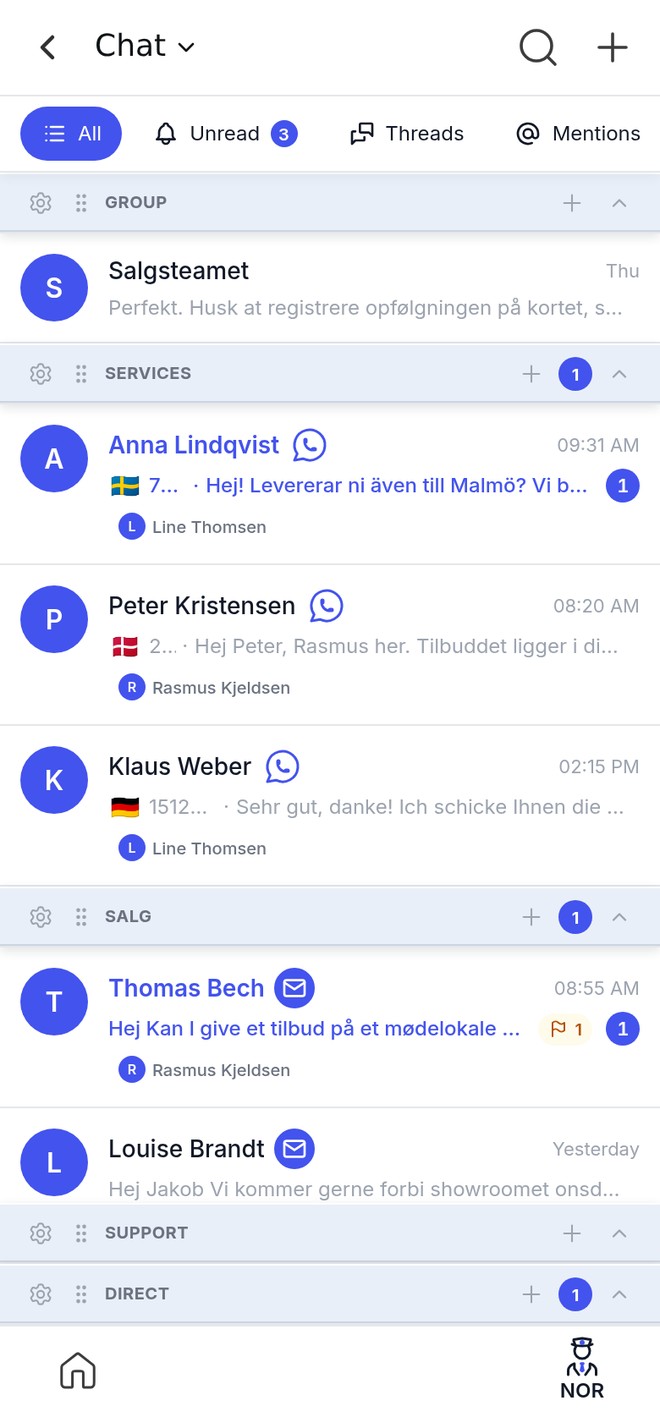
The inbox with customer e-mail and WhatsApp in sections, each chat with the colleague who has it
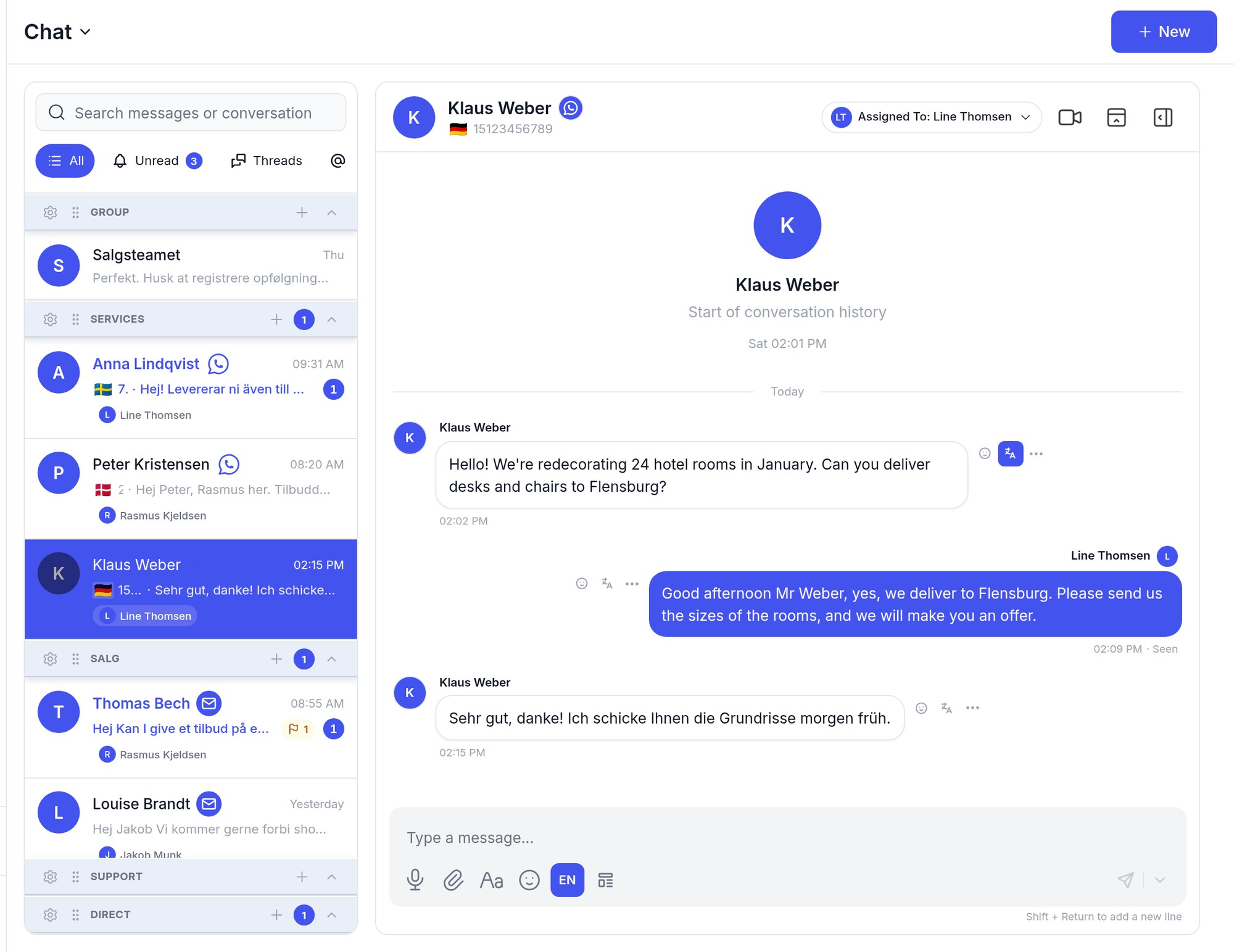
WhatsAppKlaus Weber
A German WhatsApp message translated into English with one click
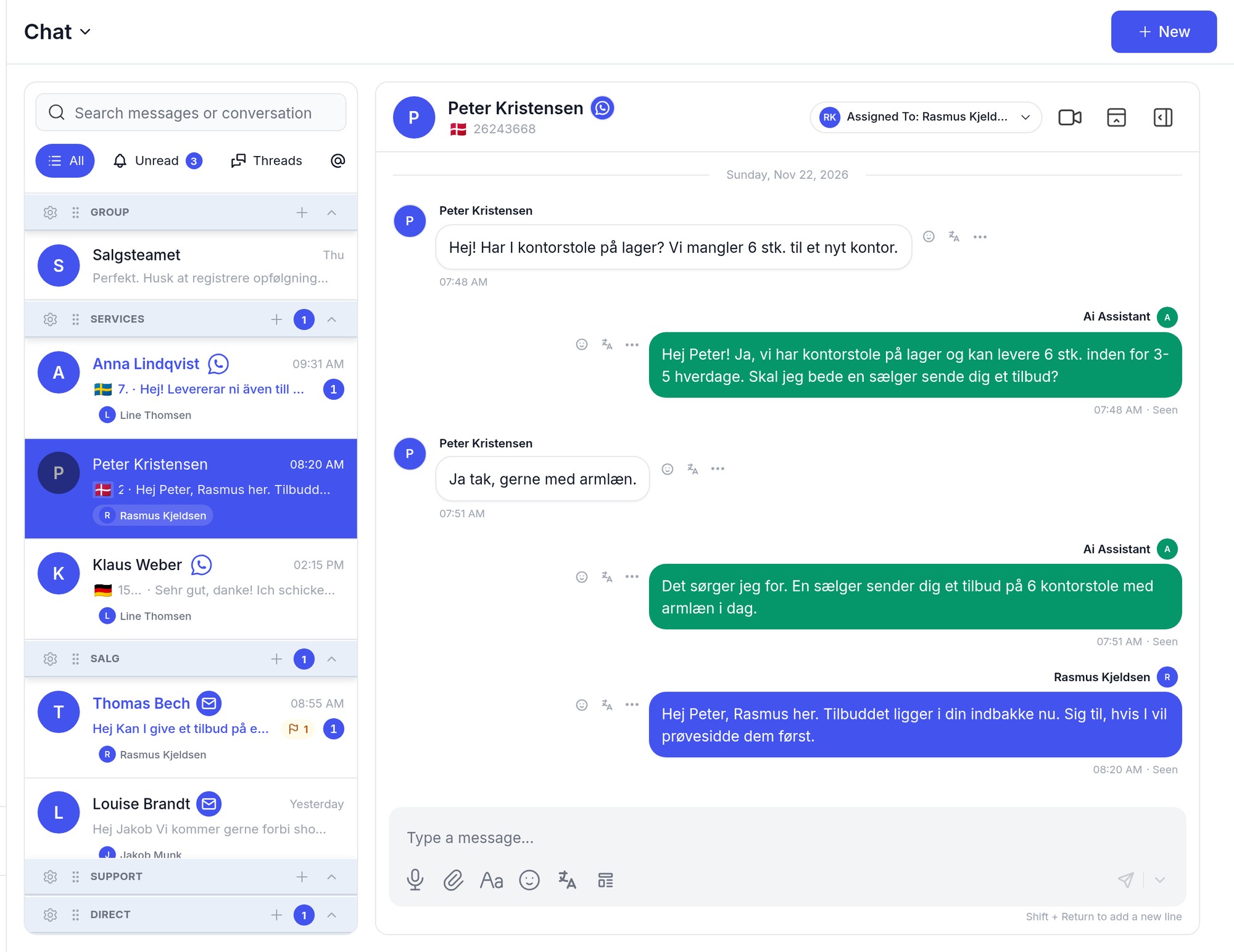
WhatsAppPeter Kristensen
The AI assistant answers a customer on WhatsApp before a salesperson takes over
One inbox

E-mail, WhatsApp and social in one list.

Every channel your customers use arrives as a chat, right next to the conversations with your colleagues.

  • Your own mailboxes, WhatsApp, Messenger and SMS
  • One chat per customer, linked to the contact
  • A section per mailbox, such as Sales and Support
ChatNordvind Salg ApS
The inbox with Services, Sales and Support sections and an e-mail conversation open
Your own mailboxesGmail or any mailbox with IMAP, aliases included.
WhatsApp BusinessConnect your number and answer WhatsApp from the same list.
Social and SMSMessenger, Instagram and SMS conversations sit in the same inbox.
One chat per customerEvery message from a customer lands in one chat, linked to the contact.
Customer support

Every request has an owner.

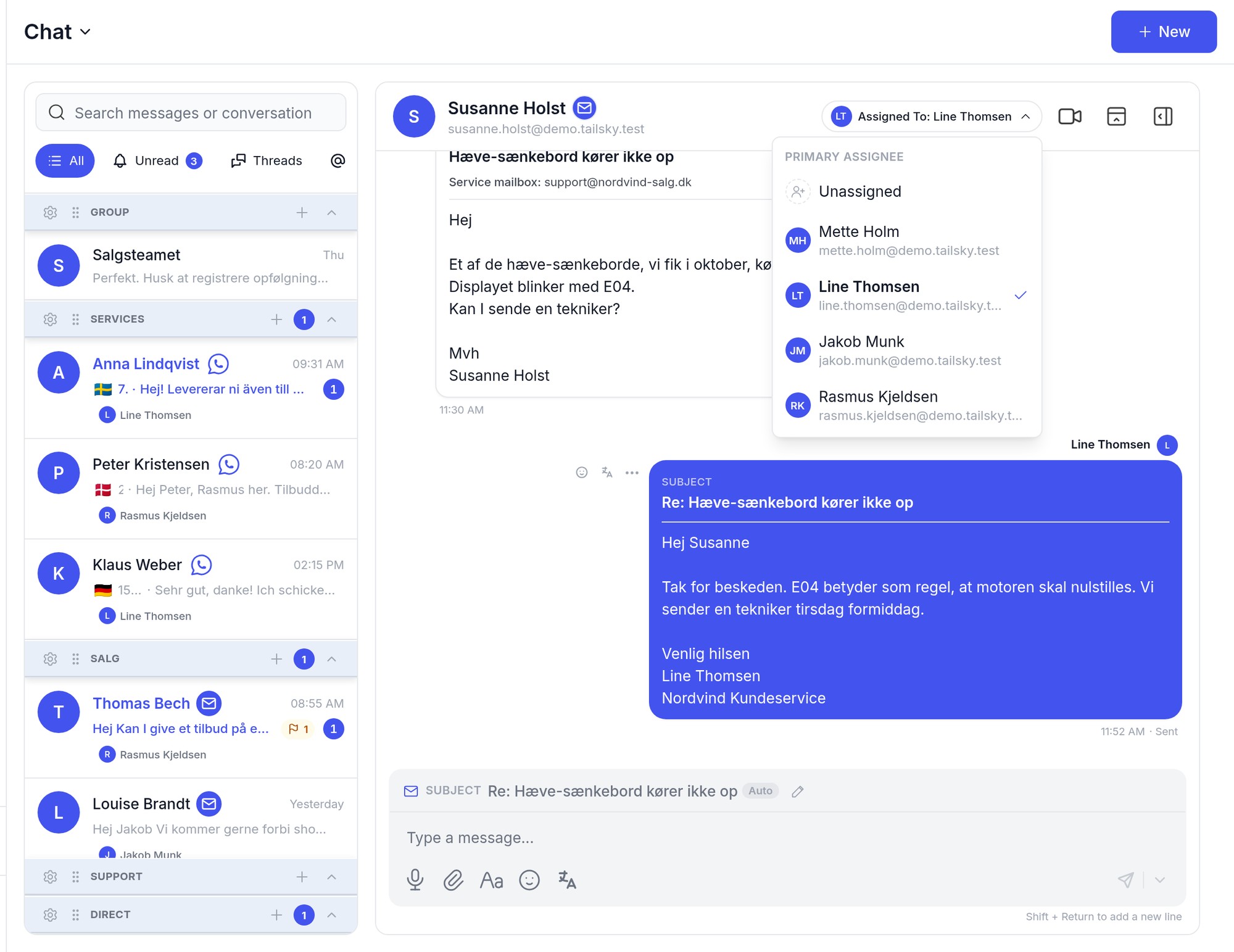
Assign a chat to a colleague, turn a message into a to-do, and answer from your own address.
  • Everyone sees who has the customer
  • To-dos with a due date and a reminder
  • Replies leave from your mailbox or WhatsApp number
SupportSusanne Holst
A support mail with the assignee menu open: unassigned or a colleague
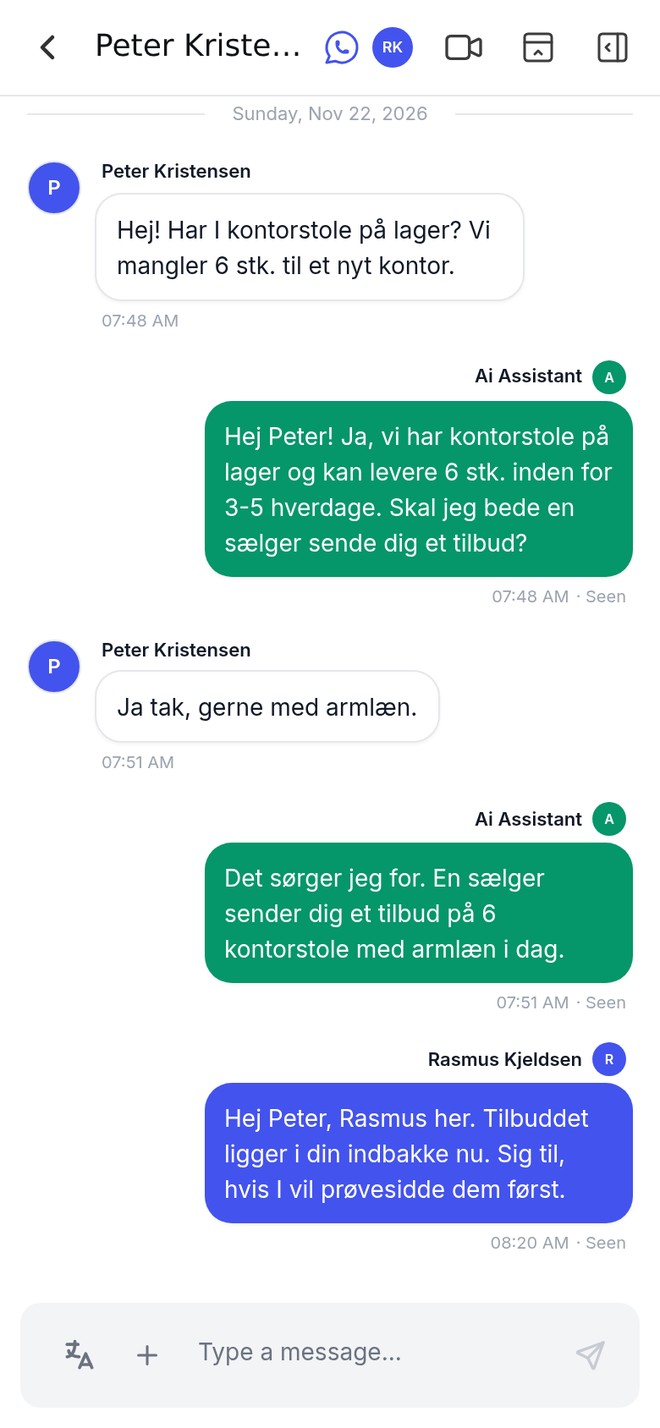
A customer chat on a phone
Who has itAssign a chat to a colleague. The list shows who is on it.
From message to to-doAdd a to-do to a message, with a due date, a priority and a reminder.
Your address, your threadThe answer comes from your mailbox, in the same mail thread, with a copy in Sent.
Live chat on your websiteVisitors write from your website and the chat lands in the same inbox.
Any language

Answer every customer in their own language.

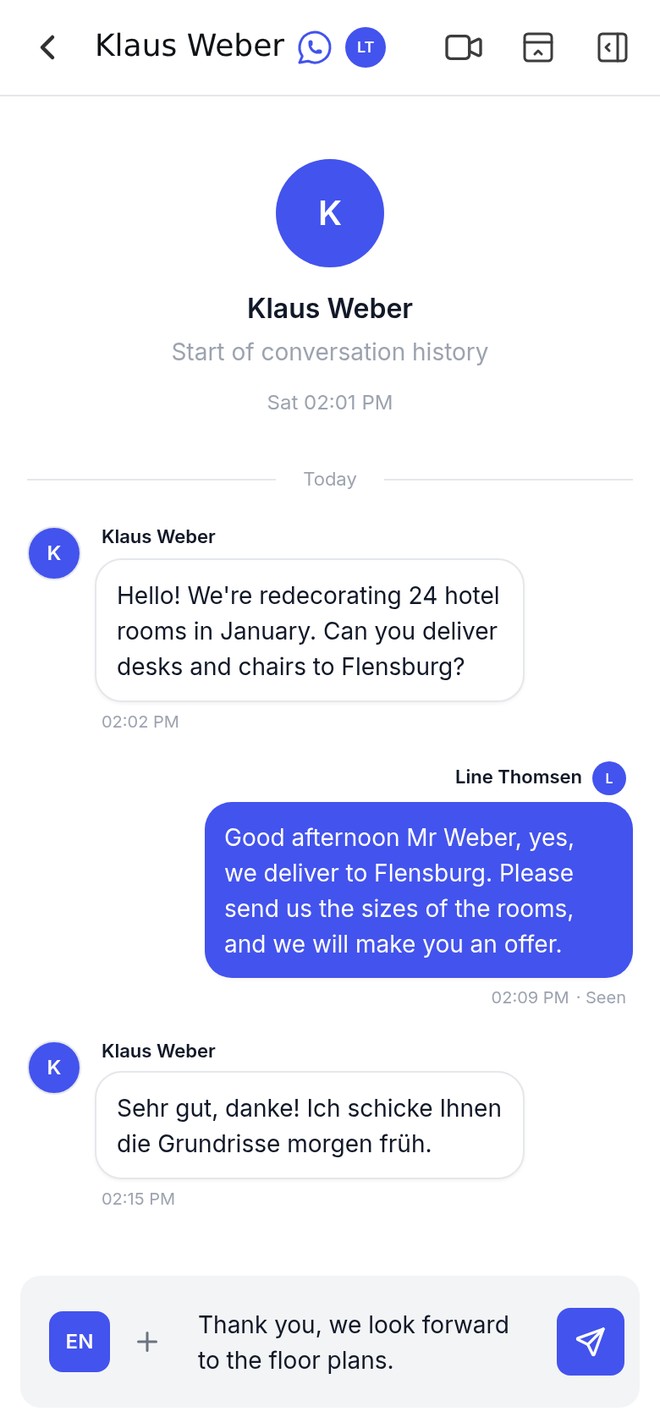
Read any message in your language with one click, and send your reply translated.
  • One click translates a message you received
  • Pick the chat's language once, every reply goes out translated
  • Switch between your own words and the text that was sent
WhatsAppKlaus Weber
A German WhatsApp message with its English translation underneath
A translated customer chat on a phone
Read in your languageGerman, Swedish, Polish or Spanish: one click and it reads in yours.
Reply in theirsWrite in your own language. Tailsky translates before it sends.
See what you wroteSwitch between your words and the text the customer got.
For the team tooColleagues read the team chat in their own language.
AI that helps

Let the AI take the first answer.

Switch it on per channel, give it your own instructions, and see every answer it gives.

  • Answers at night and at the weekend
  • Only on the channels you choose
  • A person takes over at any time
WhatsAppPeter Kristensen
The AI assistant answers a customer on WhatsApp, then a salesperson takes over
Your instructionsTell the AI how to answer, in your own words.
Your channelsChoose where it answers: WhatsApp, e-mail or both.
Nothing hiddenEvery AI answer shows in the chat, marked as AI.
Long chats, short summariesThe AI sums up a chat when it goes quiet, or daily, weekly or monthly.
Team chat

Talk to the team where the work is.

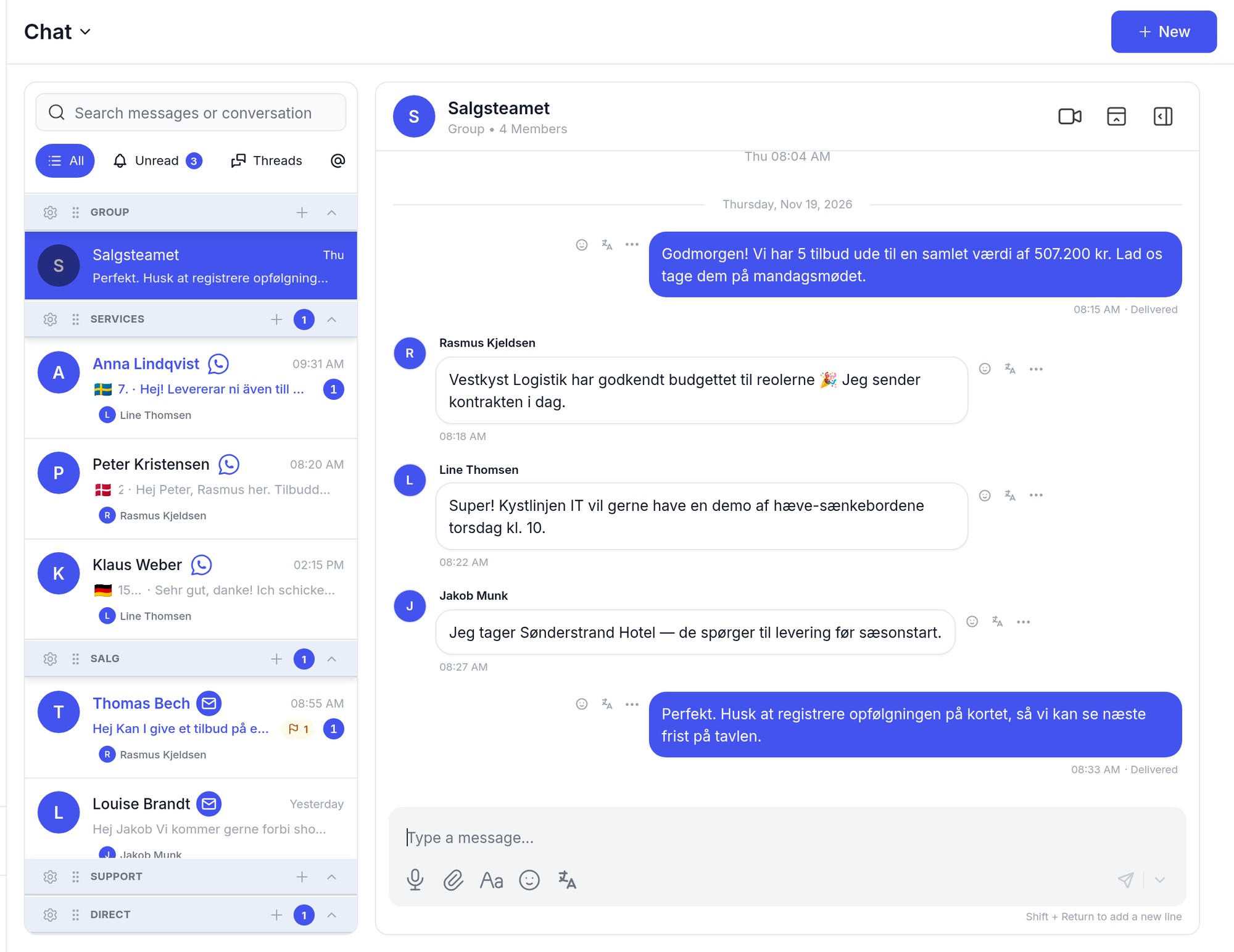
Groups, one-to-one chats and threads, live for everyone, next to the customers you talk about.
  • Groups, direct chats and threads
  • @mentions, reactions and files
  • Team and shift chats made for you
SalgsteametNordvind Salg ApS
A group chat for the sales team with four colleagues
LiveMessages arrive the second they are sent, with typing and read status.
ThreadsAnswer under a message, so the main chat stays clear.
Made for youEvery team and every shift gets its own chat.
From any pageOpen a chat in a side window while you work elsewhere in Tailsky.
Notifications

Never miss a message.

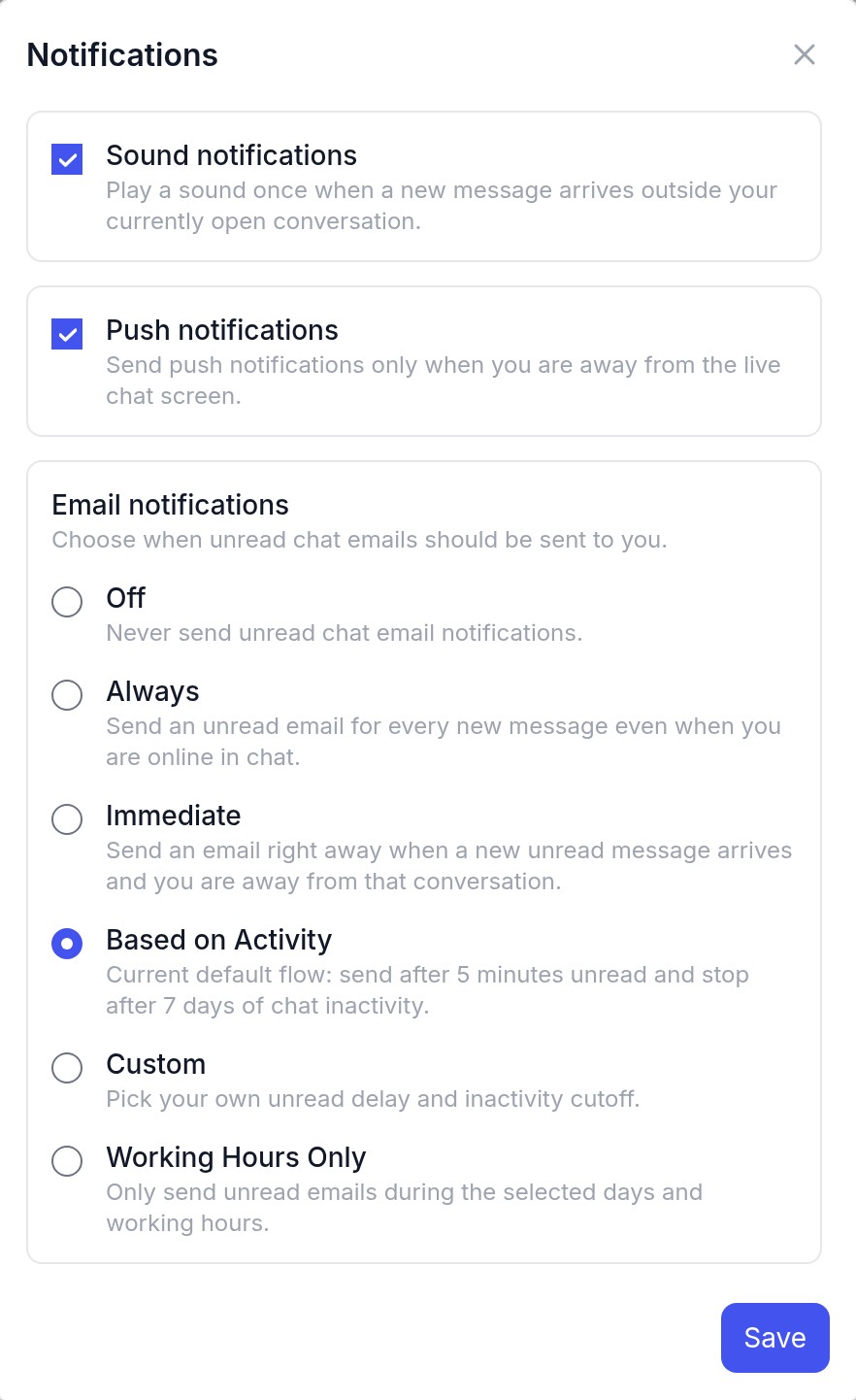
Told on your phone, by e-mail or with a sound. Each person decides what they hear about.
  • Push messages in the Tailsky app
  • An e-mail when a message waits and you are away
  • SMS to customers and staff
NotificationsMette Holm
Chat notification settings: sound, push and e-mail
The inbox on a phone
On your phonePush messages in the Tailsky app, straight into the chat.
By e-mail when awayGet an e-mail when a message waits, or only in working hours.
SMSSend SMS to customers and staff, one at a time or many at once.
Send it laterPlan a message for the next workday or any time you pick.
Integrations

Connect the channels you already use.

Gmail and IMAP

  • Any company mailbox
  • Replies from your own address

WhatsApp Business

  • Your own number
  • Approved templates with buttons

Slack

  • A board posts its news to a Slack channel
  • Comments go both ways

Twilio and SMS

  • SMS through your own gateway
  • Reminders and messages by text

Microsoft Exchange

  • Calendars in step with Outlook
  • Meetings where your team already looks
Questions

What people ask about Messages.

Which channels can I connect?

Gmail, any mailbox with IMAP and WhatsApp Business, plus social messaging and SMS. They all land in the same inbox.

Do customers see that we use Tailsky?

No. Replies leave from your own mailbox or WhatsApp number, in the same thread.

Which languages can you translate?

Received messages are translated from most languages, including German, Swedish, Polish and Spanish. Replies go out in the languages you switch on.

Does the AI answer on its own?

Only when you switch it on, and only on the channels you choose. Every answer shows in the chat.

Can staff answer on their phone?

Yes. The chat works on the phone, and new messages arrive as push notifications.

See your own inbox in Tailsky.

Tell us which channels your customers use. We set up a demo with your mailboxes and walk you through it.