Your team, its meetings, training and files. One place.

Put people on teams, meet by video, sign off each step of a course and keep every document in one shared drive.

TeamsFjordby Kursuscenter
Three teams, each with its teachers and members
Course planKarin Bisgaard
A course plan for one participant with signed modules
DriveCourse material
A shared drive folder with course material
Teams

Everyone on the right team, with the right plan.

A team holds its members, its teachers and the plan they follow, so nobody has to ask who is on what.

  • Members, teachers and a start date on every team
  • Set a maximum, so a team never overfills
  • One plan for the whole team
TeamsFjordby Kursuscenter
Team cards with the teachers and members of each team
Members and teachersSee who is on each team and who leads it.
Talk to the teamOpen the team chat or e-mail everyone from the card.
A shared planGive the team a plan and every member follows it.
Roles decideChoose who can see, create and archive teams.
Meetings

Meet by video without another app.

Start a meeting room in Tailsky and send the link. Camera, screen sharing and chat are built in.
  • Camera, microphone and screen sharing
  • Raise a hand and chat in the room
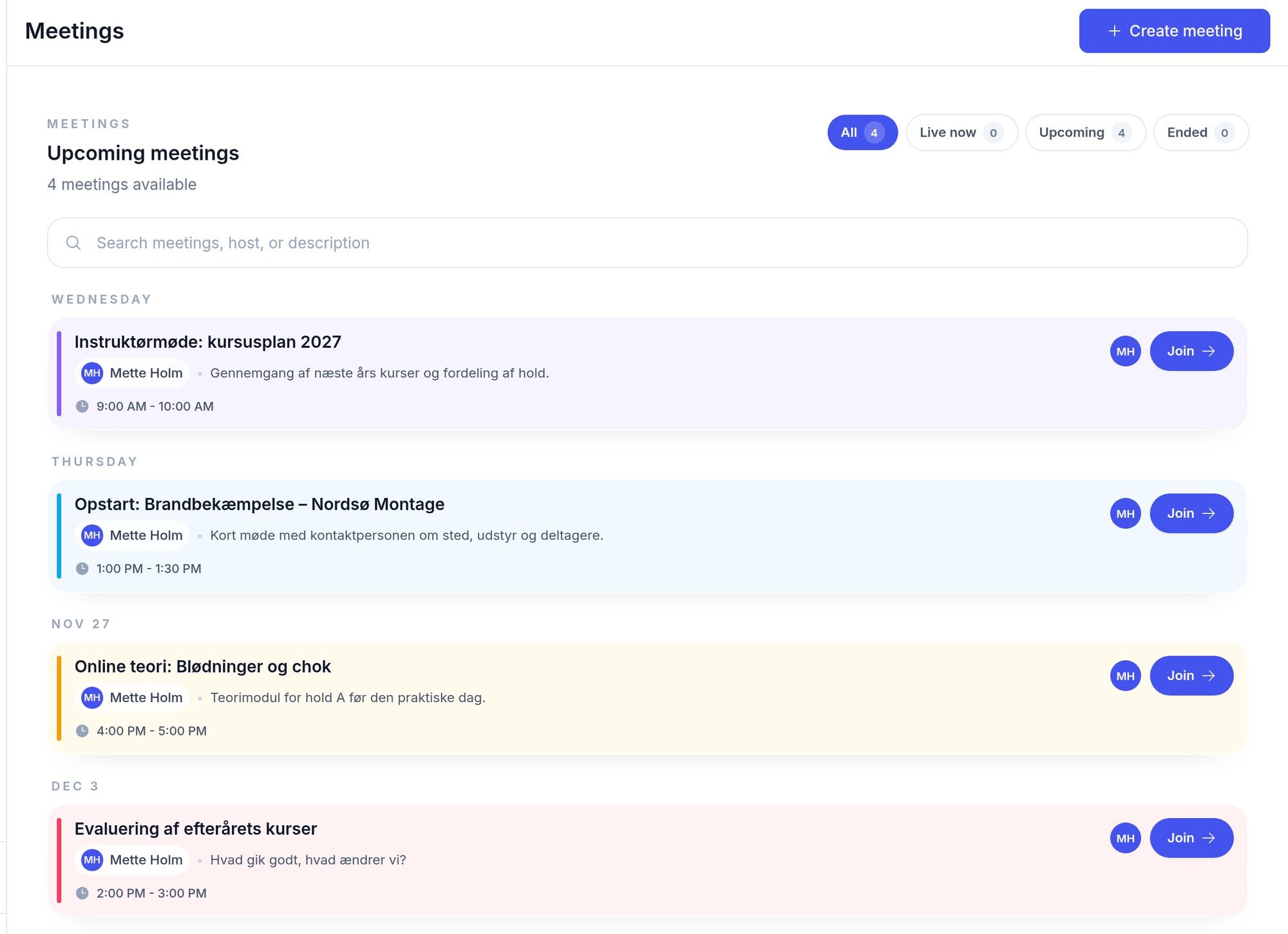
  • Live now, upcoming and ended at a glance
Meeting links on bookings
MeetingsFjordby Kursuscenter
The list of upcoming meetings with a Join button on each
Video in the browserNothing to install for you or your guests.
Link on the bookingOne click on a booking creates its meeting room.
Invite a whole teamInvite single people or a team to an open booking.
Chat in the roomShare a link or a note while you talk.
Training

Sign off every step of a course.

Build a course plan from modules, then sign each one off per participant as it is taught.
  • Theory and practice modules, with files
  • Date, time used and a short summary on each sign-off
  • Print the plan or e-mail it as a PDF
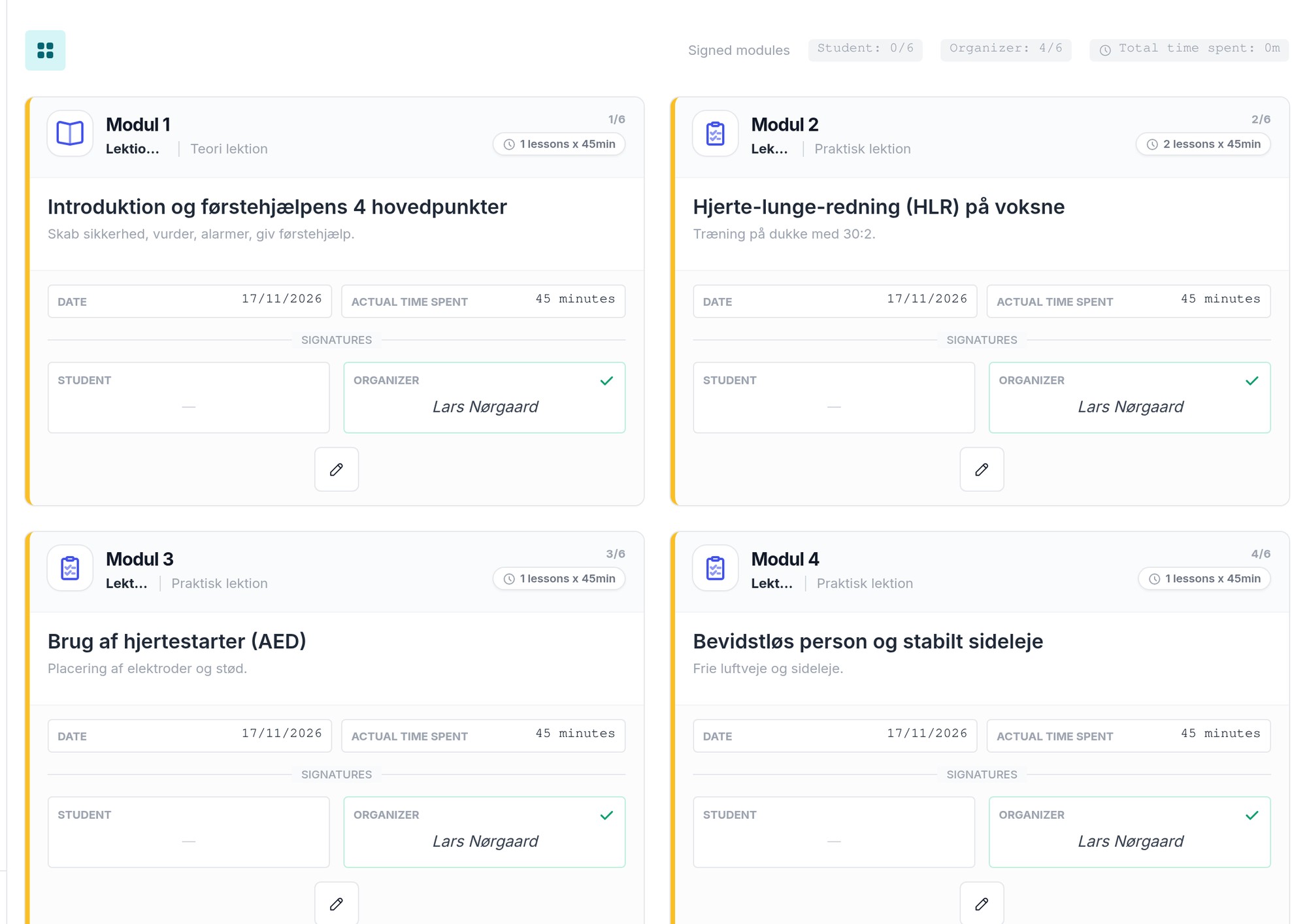
Course planKarin Bisgaard
A course plan for one participant with the modules signed off by the teacher
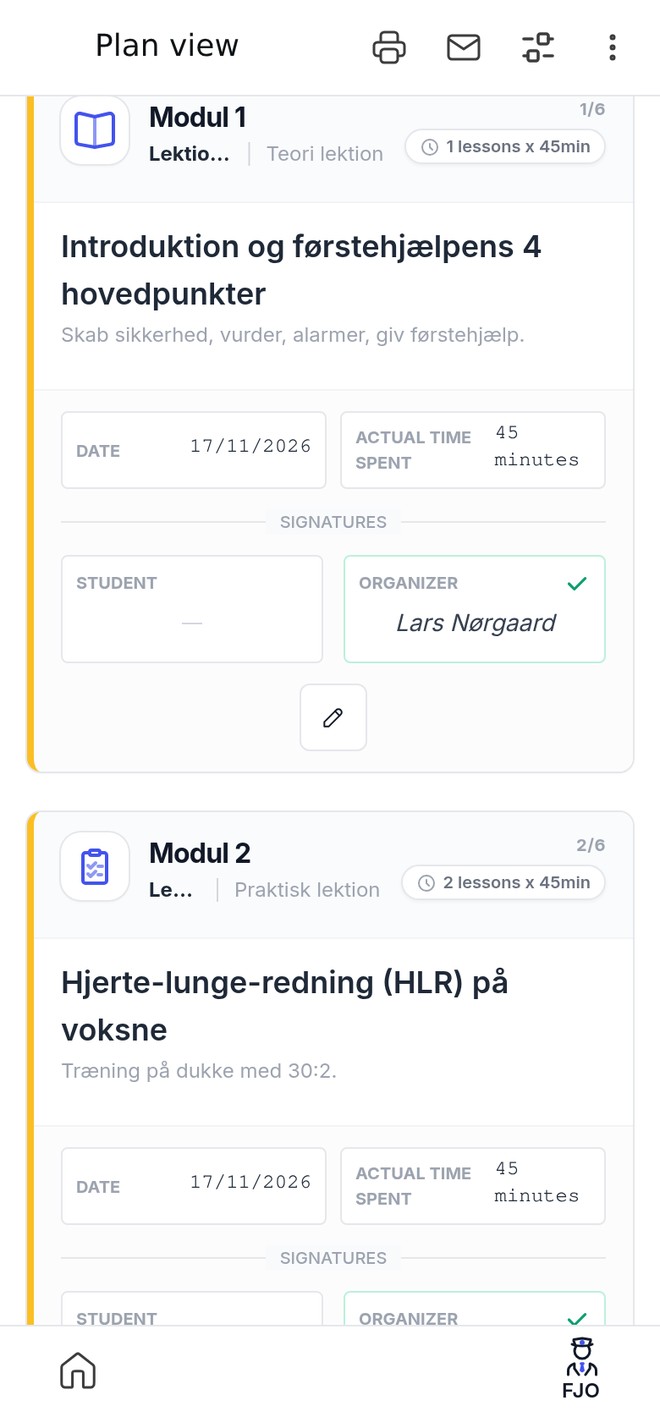
The course plan on a phone
Plans from modulesTheory or practice, lessons, notes and files per module.
Signed as you teachTeacher and participant sign each module.
Progress per personSee what is done and the time used.
A log of everythingEvery sign-off in one log, ready for Excel.
Files

Every file, material and document in one drive.

Course material, templates and certificates sit in shared folders that the whole team can find.

  • Drag files in, in folders you name
  • Preview PDFs, images and spreadsheets
  • Notes on a file, for the next person
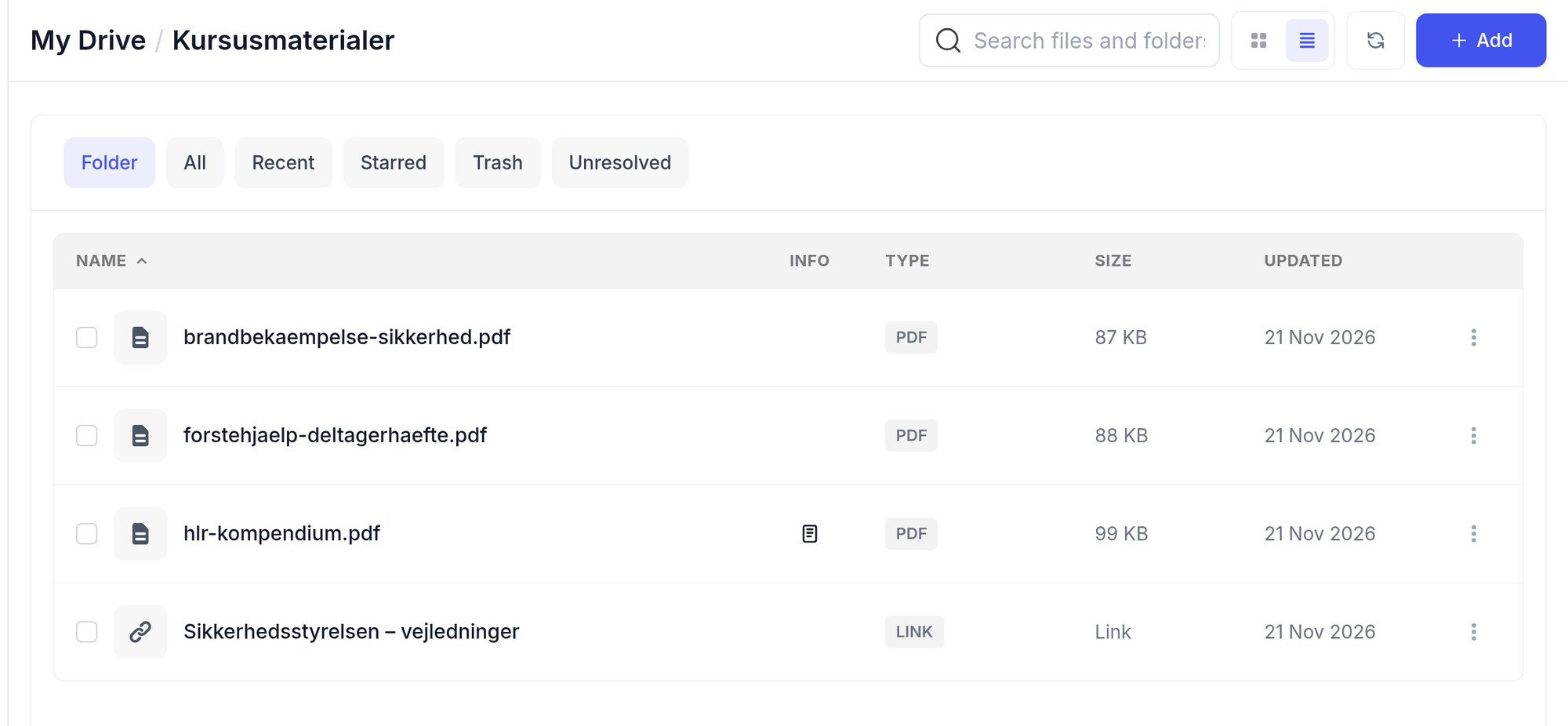
DriveCourse material
A Drive folder with course material, a web link and a note
Folders for everythingSearch, star and sort by recent.
Links next to filesKeep useful web pages in the same folder.
Share a download linkSend a public link that expires when you choose.
Nothing lostDeleted files wait in the trash until you restore them.
Workspace

The daily work sits next to the team.

One shared inbox

  • Customer e-mail and service mailboxes
  • Post you receive can be scanned in
  • Reply as the team, not as one person
See Messages

Team chat

  • A chat for every team
  • @mentions and files
  • Translated when you need it
See Messages

Tasks and boards

  • Tasks with deadlines and owners
  • Boards for every workflow
  • Logbooks for daily notes
See Tasks & projects

The full history

  • Every sign-off, mail and task kept
  • See who did what, and when
  • Notifications you control
See Messages
Questions

What people ask about teams and the workspace.

Do my guests need an app to join a meeting?

No. The meeting runs in the browser. Send the link and they join with camera and microphone.

Can a whole team follow the same course plan?

Yes. Give the team a plan and every member gets it, with their own sign-offs and progress.

Who signs off a module?

The teacher signs, and the participant can sign too. You decide per plan if a date, a summary or files are required.

Can I share a file with someone outside Tailsky?

Yes. Create a public download link and choose when it expires.

Who can see the teams and files?

You decide per role who can see, create and change teams, plans and the drive.

See your own team in Tailsky.

Tell us how your team works today. We set up a demo with your teams, plans and files and walk you through it.